Dynamic QR codes
Edit after printing, track scans, and use dynamic QR codes for campaigns.
Dynamic QR codes are the best choice for campaigns, printed materials, and anything that might change. Instead of embedding your final destination directly in the QR pattern, a dynamic code points to a managed redirect you can update later. For a deeper comparison of when static still makes sense, read Dynamic QR Codes vs Static QR Codes.
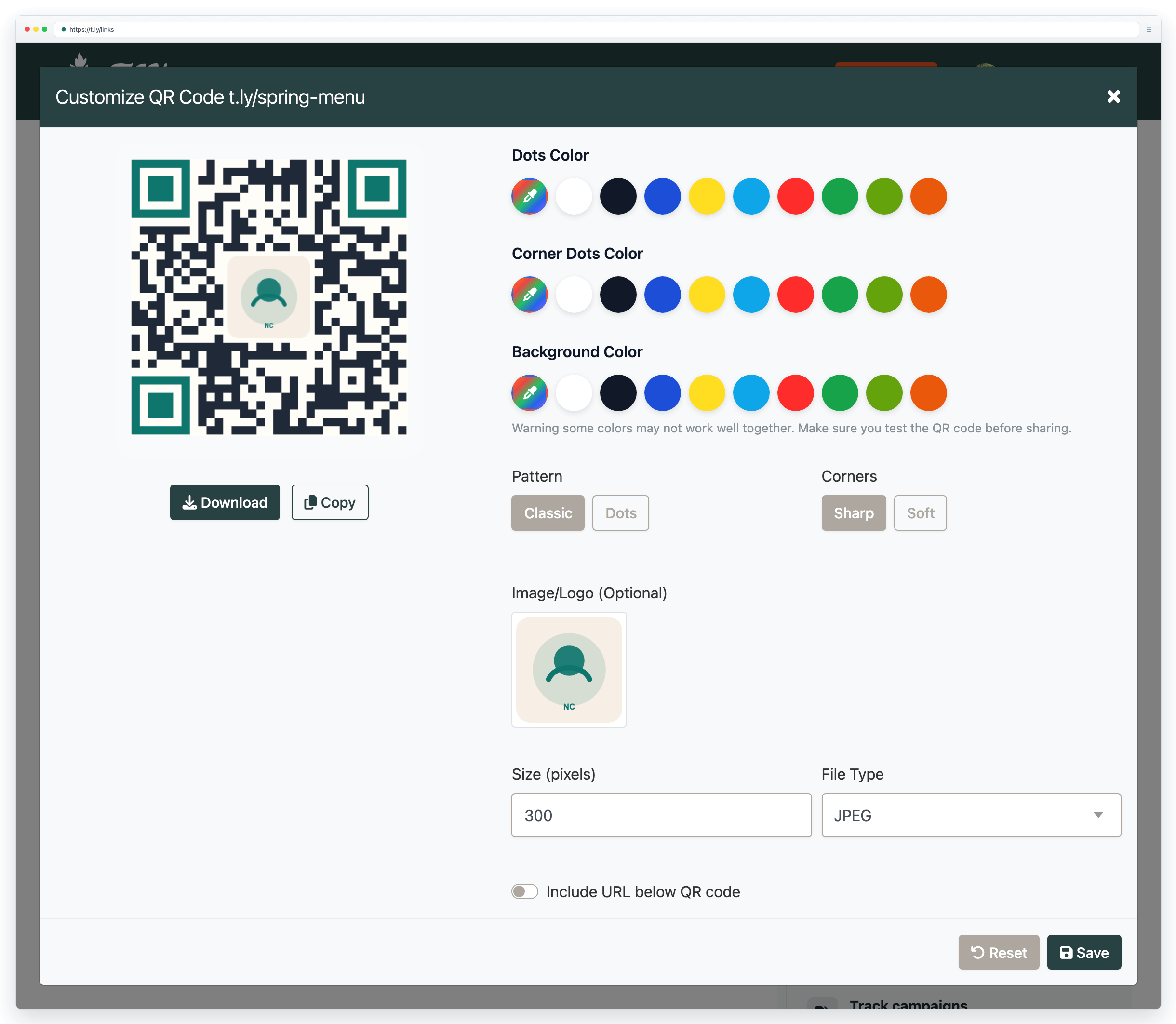
Edit anytime, even after printing
Made a typo? Need to update a landing page? With dynamic QR codes, you can change where your code points without reprinting. Update URLs, swap content, or redirect to seasonal campaigns while your printed materials stay useful.
- Update destinations for new promotions or seasonal campaigns
- Fix broken links without wasting a print run
- Rotate destinations over time for simple A/B tests
Track every scan (analytics)
Dynamic QR codes can record scan analytics in your dashboard, such as:
- Total number of scans
- Unique vs. repeat visitors
- Scan locations (country/city)
- Device types (iOS, Android, etc.)
- Scans over time (daily/weekly/monthly)
For the tracking details and metrics, see Track QR code scans. If you want to see how teams use this in campaigns, How To Create Trackable QR Codes is a practical companion.
When dynamic QR codes work best
Dynamic QR codes are most commonly used for URL QR codes (including short links), because a redirect is what enables editing and tracking. QR types like WiFi, phone, SMS, email, vCard, events, and locations embed the payload directly, so they are typically static unless you encode a URL to a page that contains that information.
Download in the right format
For print, use a vector format when possible:
- SVG: recommended for professional printing because it stays crisp at any size
- PNG: great for screens and small prints when exported at high resolution
Need sizes, DPI guidance, and a pre-print checklist? Read the QR code printing guide.
Add your logo and brand colors (without breaking scans)
Branding can increase recognition, but scannability still comes first. If you add a logo, keep it small, maintain a quiet zone, and test on real devices before printing.
- Use dark dots on a light background for strong contrast
- Keep the quiet zone (blank border) intact
- Keep logos under ~30% of the code area, then test scan
If a printed code fails, use QR code not scanning for a troubleshooting checklist.
How businesses use QR codes
From restaurants to retail, QR codes help businesses connect with customers in seconds.
If you want a full workflow for placements, offers, and ROI, read QR codes for small businesses.
Restaurants & Cafes
Replace paper menus with a scannable QR code. Use a dynamic URL QR code so you can update prices and items without reprinting.
Retail & Products
Link packaging to product details, reviews, warranty info, or exclusive offers. Dynamic codes let you update content after packaging is shipped.
Events & Conferences
Share schedules, tickets, check-in pages, or speaker bios. Track scans to see which placements drive the most engagement.
Real Estate
Add QR codes to property signs for virtual tours, floor plans, and contact options available 24/7.
Business Cards
Make your contact info scannable. Use a vCard QR code, or a dynamic URL to a contact page you can keep updated.
Marketing & Ads
Bridge print and digital. Track which flyers, posters, or placements drive scans, then optimize your campaign based on real results.
Need more help?
If you still have questions, contact [email protected] or use the contact form. For abuse or suspicious links, use Report Abuse. For feature requests, email [email protected].
 Browser Extension



