• Products
    Link Management OneLinks Link Tracker QR Code Management QR Scanner App URL Shortener Extension Permanent Links Short URL Expander QR Code Inspector
  • Resources
    Pricing Blog API Documentation Help Center Affiliate Program Tools
  • Articles
    Guide to URL Shorteners T.LY vs Bitly Top 5 URL Shorteners T.LY vs TinyURL Best URL Shortener API T.LY vs Rebrandly
  • Login
  • Sign Up
  • Sign Up
OneLinks

One Link For Everything

T.LY OneLinks help you publish link in bio pages, digital business cards, event hubs, local business pages, and product launch destinations that stay on-brand, work with QR codes, and show you what people actually tap.

t.ly/

Claim your Link in Bio

Bio, card, and product templates QR-ready sharing Custom domains Analytics Mobile-first layouts
Get Started Browse Use Cases
OneLink examples

OneLinks For All Use Cases

Creator bios, digital cards, launches, events, local businesses, and real estate pages all need a different shape. OneLinks can handle that without sending every visitor to the same plain list.

See Use Cases
Creators Business Cards App Launch Events Local Businesses Review Link Hub Restaurants Podcasts Real Estate

Why Teams Upgrade From A Simple Link List

A great link hub should do more than a list of buttons. T.LY turns the page into a flexible destination for creators, launches, sales, events, and local businesses.

More Than Buttons

Mix profile, social, product, gallery, video, FAQ, countdown, map, booking, QR, and contact blocks on one page instead of stopping at a simple stack of links.

Brand The Experience

Use custom domains, theme controls, and multiple template families so the page looks like your brand instead of rented real estate on someone else’s platform.

Online And Offline

Share the same OneLink in social bios, email signatures, event badges, business cards, packaging, menus, and signage with QR codes.

Know What Gets Clicked

Review page visits and button engagement so your creator CTA, booking path, featured product, or event link is based on real usage.

From Creator Bio To Digital Card To Product Drop

OneLinks are not locked into one template style. Start with the page shape that matches the job.
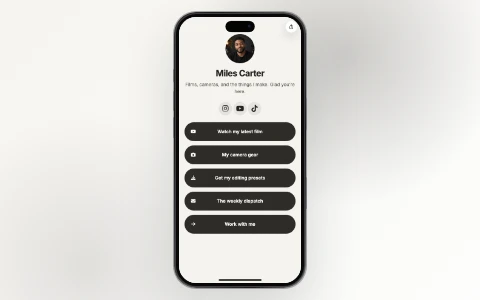
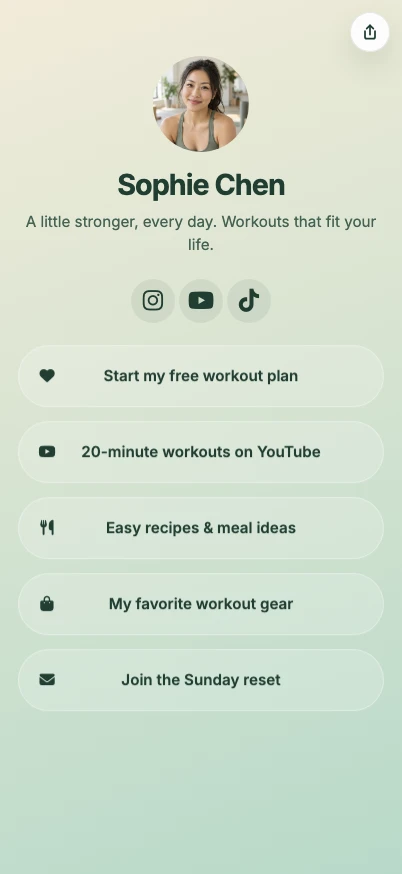
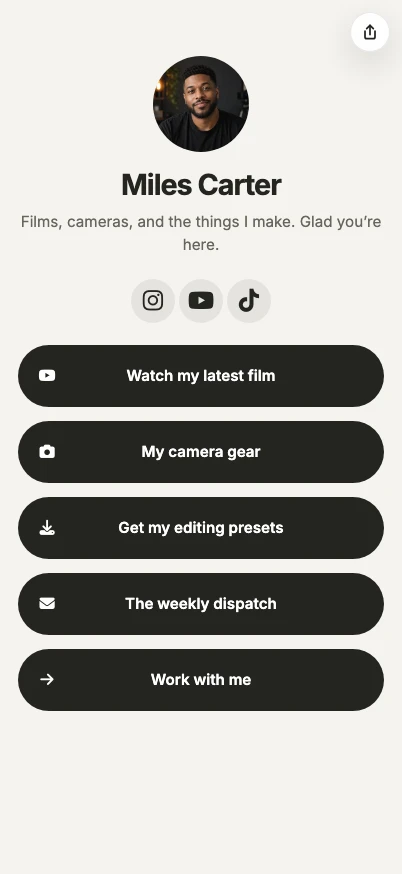
Creator link in bio template
Creator bios

Built For Link In Bio Pages

Feature your latest content, socials, store links, and campaigns on a clean mobile page that is easy to refresh each week.

Creator Use Case
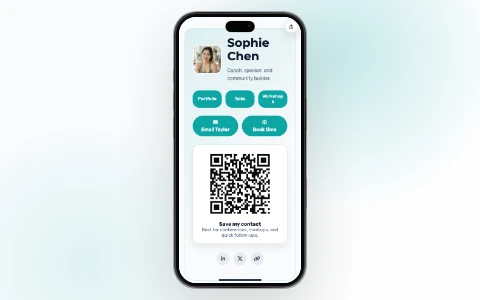
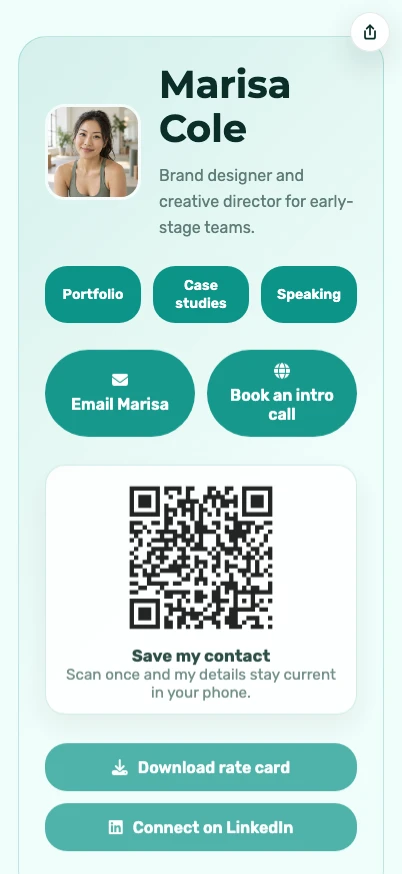
Digital business card template
Contact pages

Made For Digital Business Cards

Share contact actions, booking links, socials, maps, decks, and portfolio links from a QR-ready page you can keep current.

Digital Business Cards
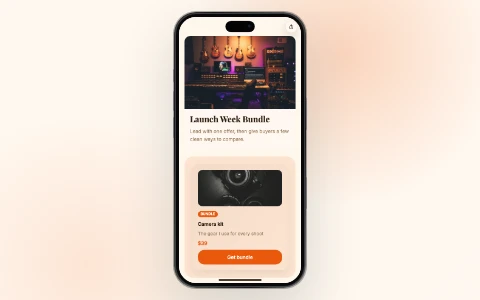
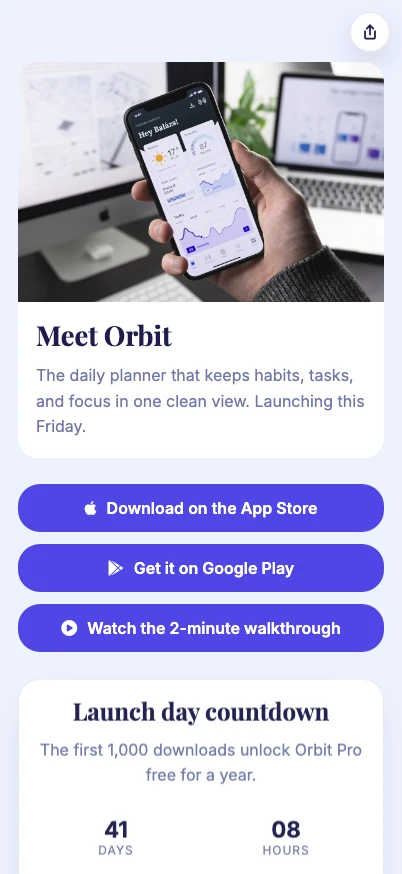
Product launch template
Campaign pages

Built For App Launches

Use featured product layouts, countdowns, FAQs, and supporting links to keep a launch focused across social, email, and QR traffic.

Launch Use Case
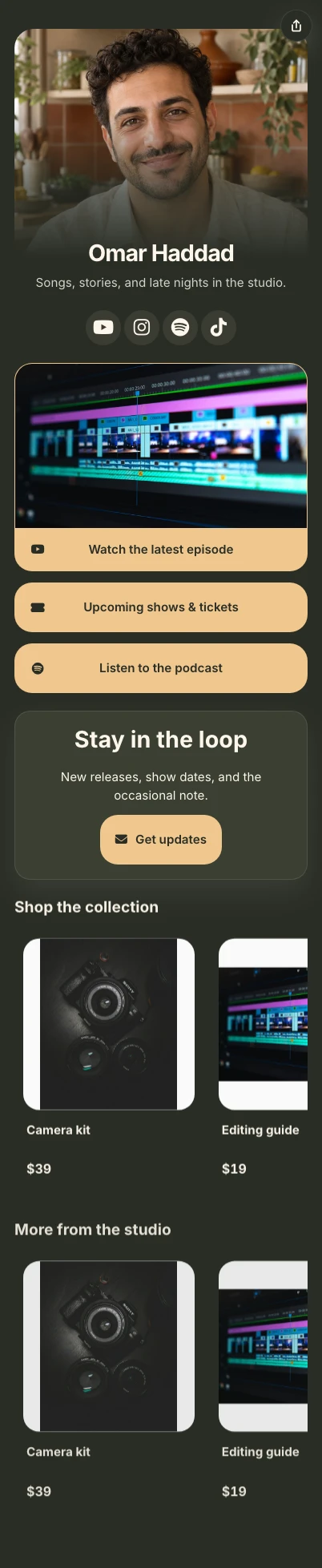
@studionorth Watch latest video Shop the drop Book a session Bio link New video Shop Booking brand.co/studio One profile link, more places to go Turn every bio into a useful hub. Send followers to your latest video, shop, booking page, event QR code, and social channels from one clean link. See Creator Use Cases
Build richer pages

Publish A Landing Page, Not Just A List

T.LY OneLinks can act like a lightweight site for the moments when you want more structure than a generic link in bio tool normally gives you.

  • Profile, hero, text, and button sections for clean top-of-page framing
  • Products, galleries, videos, and podcasts for richer media and commerce moments
  • Booking, map, contact, FAQ, and countdown blocks for local businesses and events
  • QR support so the same page works online and in person
Start Building See Templates
T.LY OneLinks theme builder with live mobile preview
Own the distribution

Brand It, Share It, Then Optimize It

OneLinks become much more useful when the page is branded, easy to share offline, and measurable after launch.

  • Use custom domains so your page looks like part of your brand, not a borrowed profile tool
  • Share with QR codes on cards, badges, signage, menus, packaging, and handouts
  • Review visit and click analytics to improve CTA order, button labels, and campaign structure
Launch A Branded Page Learn About QR Sharing
One page, many actions Turn a profile link into a real hub. Use buttons, media, products, contact details, maps, and QR sharing from one branded page. Build A OneLink

Made For The Moment Behind The Click

A OneLink works best when someone needs choices: book, buy, follow, download, scan, save contact details, or find the next event.
  • Creator bios with richer calls to action
  • Digital business cards that stay current after printing
  • Local business pages for menus, bookings, reviews, and offers
  • Product and event pages that work from social and QR traffic
Digital Cards Local Pages
Review Link Hub OneLink example
Review link hub

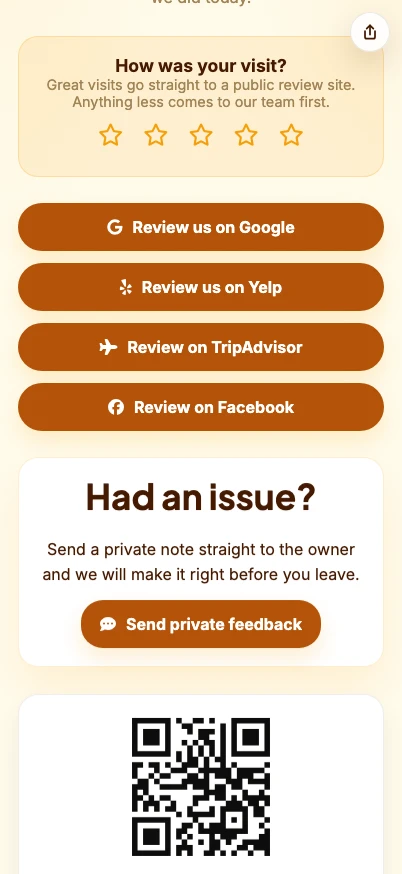
Route Good Reviews Publicly And Bad Feedback Privately

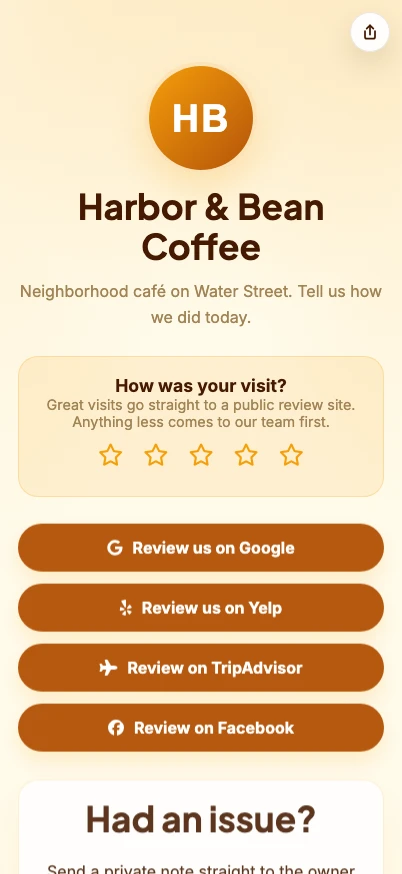
Local businesses can use one OneLink for Google reviews, Yelp, TripAdvisor, Facebook, Trustpilot, and a direct feedback form.

  • Enter business info once: logo, address, hours, phone, website, and feedback contact
  • Send happy customers to public review pages and lower ratings to private feedback
  • Use the same hub on receipts, cards, counters, invoices, packaging, and SMS follow-ups
Review Link Hub Build One
OneLinks playbooks

OneLinks Use Cases

OneLink examples for creator bios, restaurants, podcasts, real estate listings, review link hubs, digital business cards, launches, event hubs, and local business landing pages.

Create Account Learn OneLinks
Use-case playbooks based on T.LY templates, blocks, and analytics that already ship today Built for link in bio pages, real estate flyers, yard sign QR codes, review routing, digital business cards, and launch hubs Focused on real publishing workflows instead of generic multi-link page examples
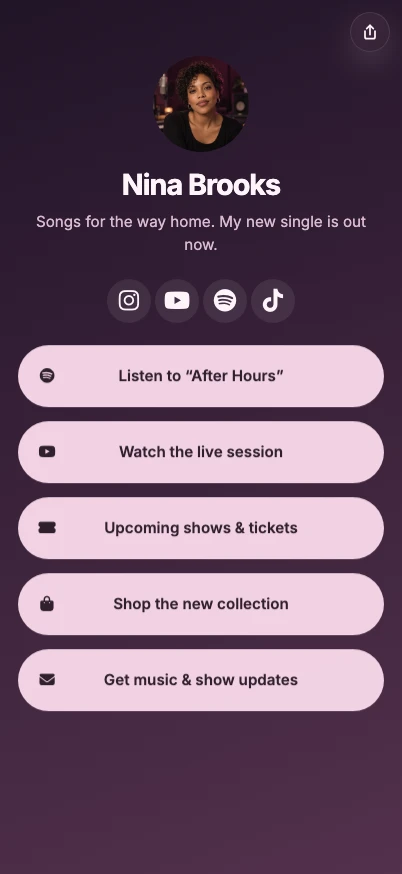
T.LY creator OneLink use case preview. Creators T.LY digital business card OneLink use case preview. Business Cards T.LY app launch OneLink use case preview. App Launch

See How OneLinks Work Across Real Use Cases

Use T.LY OneLinks for creator bios, real estate listings, property flyer QR codes, digital business cards, product launches, event hubs, and local business pages that need more flexibility than one plain destination.
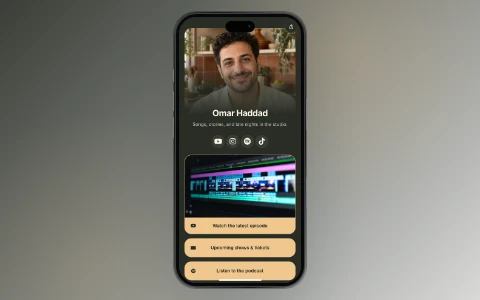
Build A OneLink
T.LY creator OneLink use case preview.
Creator use case

Link In Bio for Creators

Build a creator link in bio with T.LY OneLinks for videos, storefronts, social profiles, brand campaigns, and analytics.
Creator bio templates Latest content links Video + social blocks
Creators Use Case
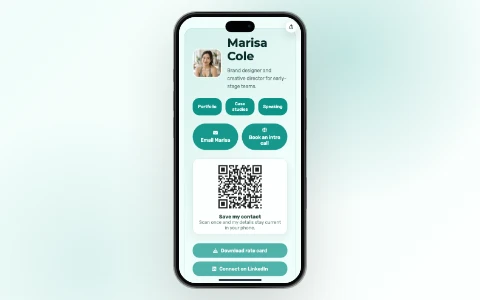
T.LY digital business card OneLink use case preview.
Business card use case

Digital Business Cards With OneLinks

Use T.LY OneLinks as digital business cards with QR sharing, contact actions, booking links, social profiles, and branded short URLs.
Digital card templates Contact + booking actions QR-ready sharing
Business Cards Use Case
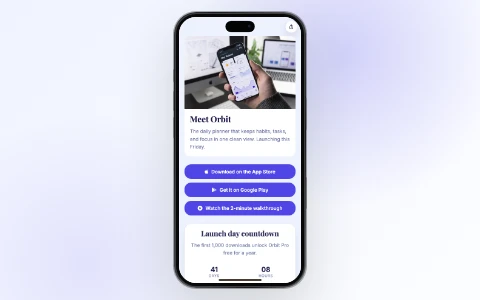
T.LY app launch OneLink use case preview.
App launch use case

OneLinks for App Launches and Waitlists

Launch apps with T.LY OneLinks using early-access CTAs, pricing sections, feature highlights, FAQs, and launch analytics.
Early access CTAs Pricing sections Feature + FAQ blocks
App Launch Use Case
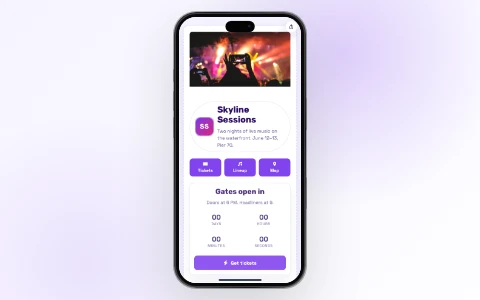
T.LY event OneLink use case preview.
Event use case

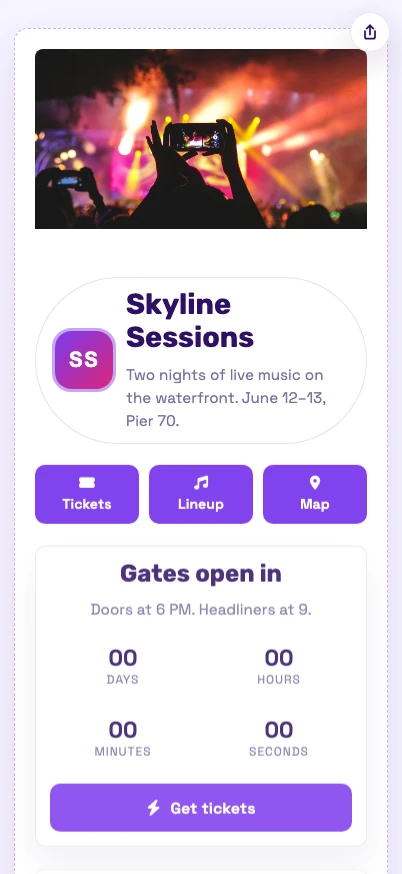
OneLinks for Events

Use T.LY OneLinks for events with ticket links, countdowns, schedules, maps, FAQs, QR sharing, and mobile-friendly updates.
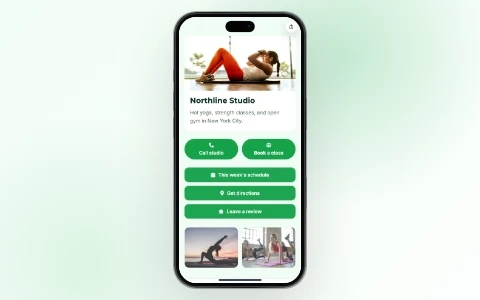
Ticket + agenda hub Countdown block Maps + logistics
Events Use Case
T.LY local business OneLink use case preview.
Local business use case

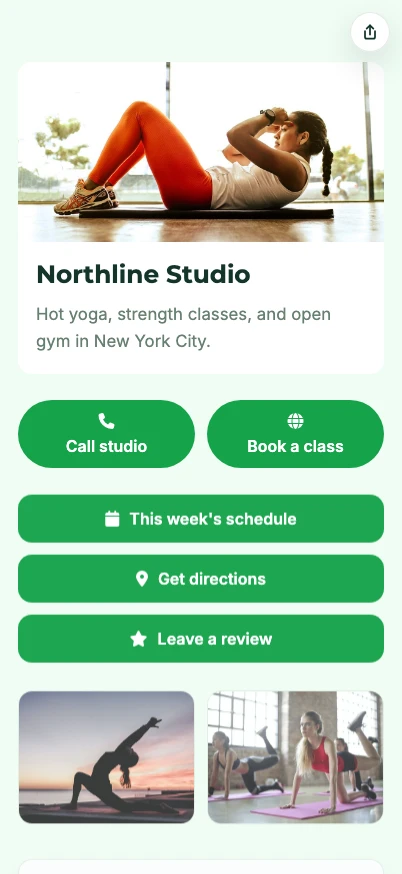
OneLinks for Local Businesses

Create a local business landing page with T.LY OneLinks for hours, maps, booking, menus, offers, reviews, and QR sharing.
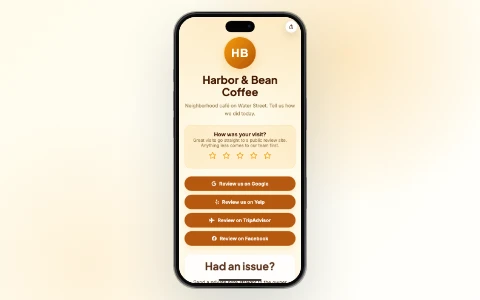
Hours + map blocks Booking + contact links Review and offer flows
Local Businesses Use Case
Review Link Hub use case preview.
Review link use case

Review Link Hub

Build a local business review link hub with T.LY OneLinks for Google reviews, Yelp, TripAdvisor, Facebook, Trustpilot, and private feedback routing.
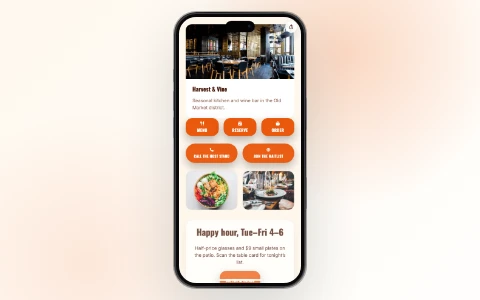
Google review links Yelp + TripAdvisor Facebook + Trustpilot
Review Link Hub Use Case
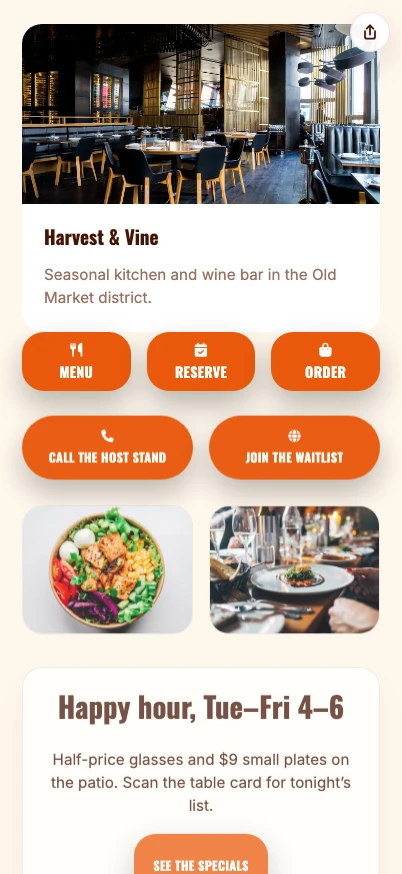
T.LY restaurant OneLink use case preview.
Restaurant use case

OneLinks for Restaurants

Use T.LY OneLinks for restaurant menus, reservations, delivery links, catering, reviews, private events, and QR-ready table or receipt campaigns.
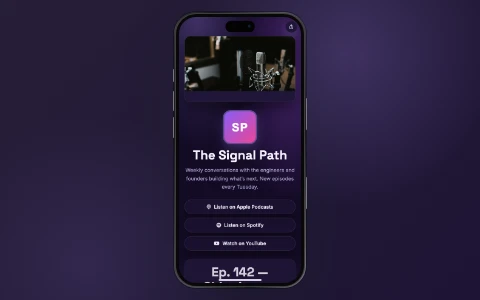
Menu QR codes Reservations + waitlist Delivery + pickup links
Restaurants Use Case
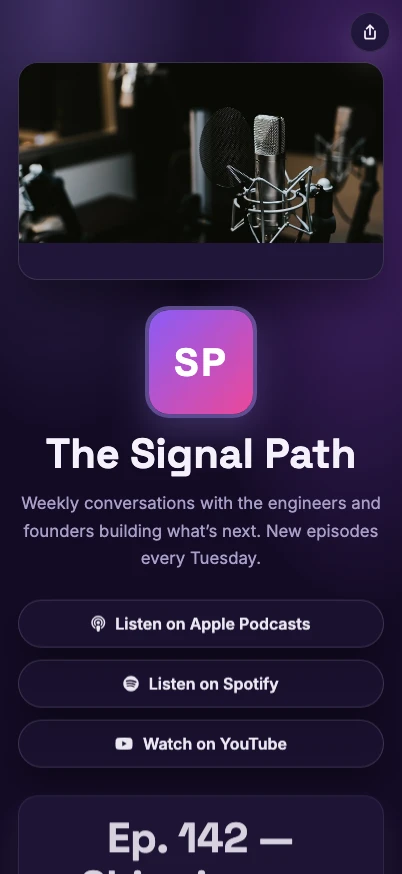
T.LY podcast OneLink use case preview.
Podcast use case

OneLinks for Podcasts

Build a podcast OneLink with listen links, latest episodes, sponsor links, guest applications, newsletter signup, merch, and analytics.
Listen links Latest episode CTA Sponsor links
Podcasts Use Case
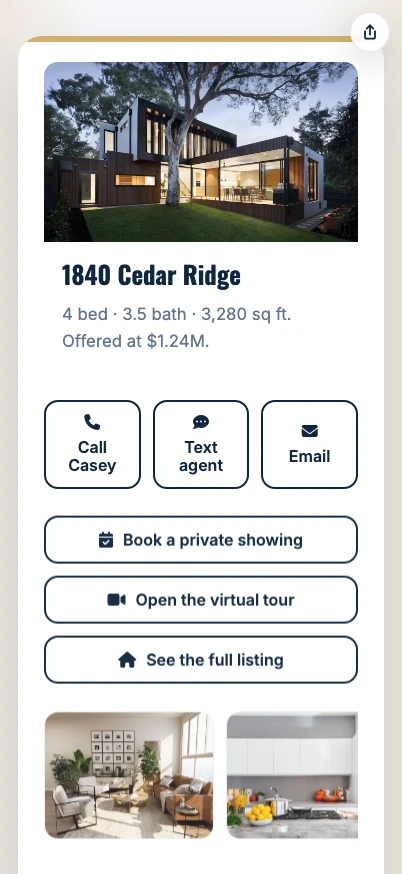
T.LY real estate OneLink use case preview.
Real estate use case

OneLinks for Real Estate

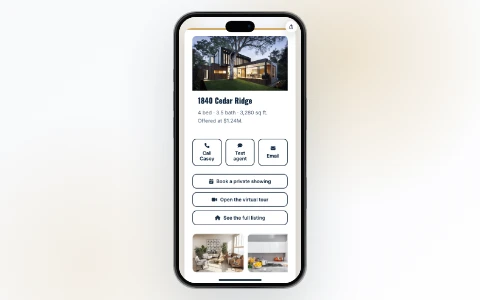
Use T.LY OneLinks for real estate listing flyers, yard sign QR codes, open house sign-in QR codes, virtual tours, maps, agent contact, and follow-up analytics.

Listing flyer QR codes Yard sign QR codes Open house sign-in QR
Real Estate Use Case

Frequently Asked Questions

Quick answers for teams deciding whether they need a short link, a link in bio, a digital card, or a richer campaign page.

View OneLinks Help

What is a OneLink?

A OneLink is a shareable landing page inside T.LY that can hold multiple buttons, sections, and content blocks behind one short URL.

Is OneLinks only for creators?

No. OneLinks also fit digital business cards, local business pages, event hubs, product launches, and QR-powered landing pages.

Can I use my own domain for a OneLink?

Yes. T.LY supports custom domains so your OneLinks can match your brand instead of defaulting to t.ly.

Can I share a OneLink with a QR code?

Yes. OneLinks work well with QR codes for signage, business cards, event materials, packaging, and in-person sharing.

Can I track visits and clicks?

Yes. T.LY OneLinks include analytics so you can review page visits and see which buttons visitors click most often.

When should I use a OneLink instead of a short link?

Use a short link when you have one destination. Use a OneLink when you need a branded hub page with multiple actions, sections, or campaigns.

Ready to publish a better link hub?

Create a OneLink once, then keep updating the same page for your bio, business card, launch, event, or QR campaign.

Sign Up

Features

  • Browser Extension
  • QR Code Extension
  • Mobile App
  • URL Expander
  • Bulk URL Shortener
  • Short Domain Finder
  • QR Code Generator
  • Free URL Shortener
  • Link In Bio

Resources

  • Pricing
  • Help Center
  • API Docs
  • Blog
  • Press Kit
  • Tools
  • Report Abuse

Company

  • About
  • Affiliates
  • Careers
  • Contact
  • Privacy
  • Terms
  • Trust & Safety
© 2026 T.LY | Trusted Link Management Platform.
Browser Extension

Shorten your next link without opening T.LY

Install the free extension and turn any page into a short link in one click — it copies straight to your clipboard.

  • One-click short links from any page
  • Auto-copies to your clipboard
  • Free forever — no account needed
Add Free Extension
Loved by 450,000+ people
T.LY Link Shortener Extension preview

Works with your browser

  • Chrome Link Shortener Extension
  • Firefox Link Shortener Extension
  • Opera Link Shortener Extension
  • Edge Link Shortener Extension
  • Safari Link Shortener Extension
Loading…