UTM presets
Save repeatable UTM structures so campaign tracking stays consistent.
UTM presets are saved groups of tracking parameters. They help your team apply the same source, medium, campaign, content, and term structure every time instead of typing them from scratch for each new link.
Why presets matter
- Consistency: avoid reporting split across near-duplicate names like
facebook,Facebook, andfb. - Speed: common campaign patterns become one click instead of repeated manual entry.
- Fewer mistakes: saved presets reduce typos and missing fields.
Where to create UTM presets
- Open Settings > UTM Presets.
- Save the repeatable structure your team uses most often.
- Apply that preset when creating or editing a link. See how to add UTMs in the link editor for a walkthrough with screenshots.
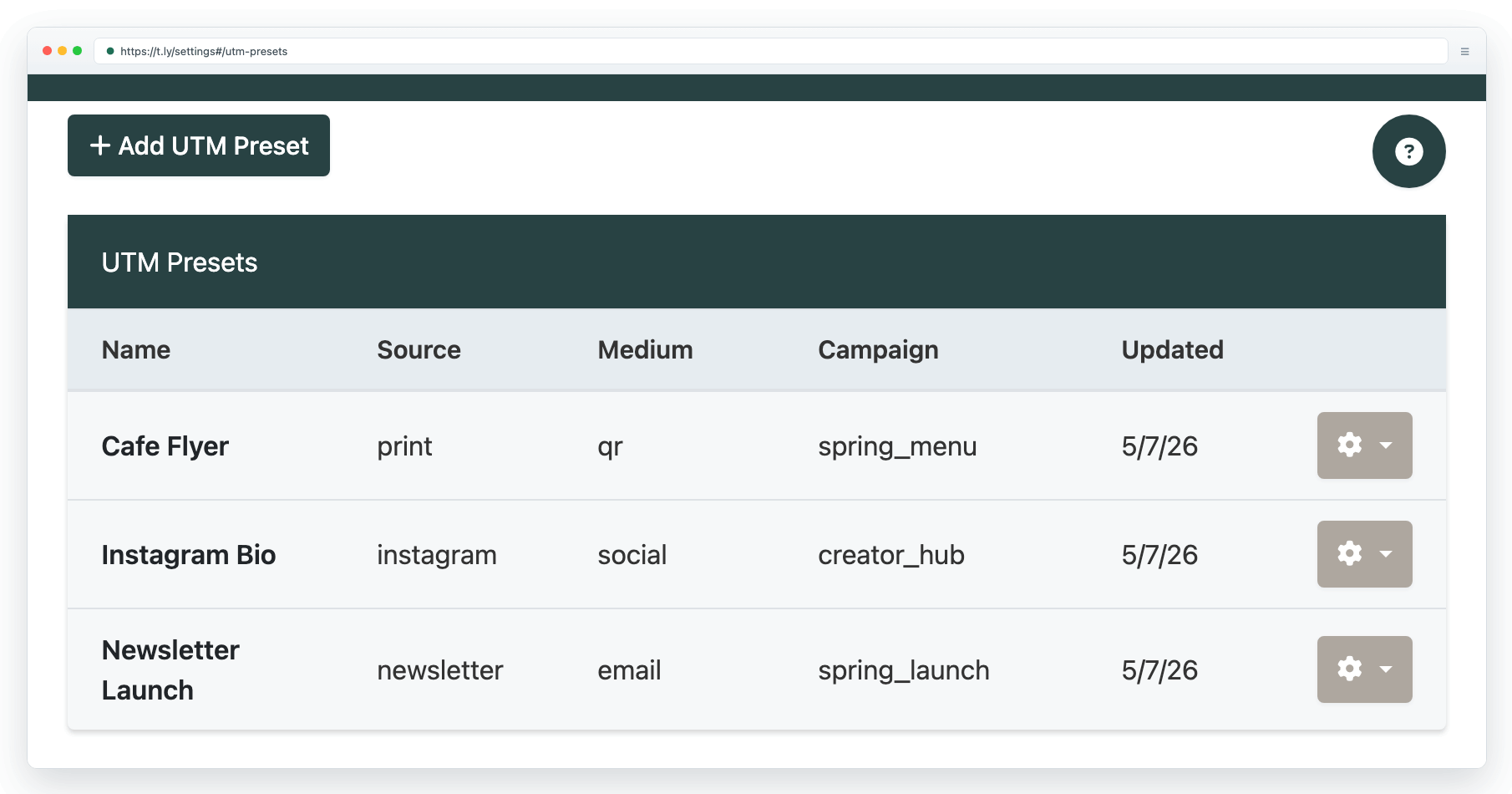
A practical preset structure
- Source: where traffic comes from, such as
newsletter,instagram, orpartner-site. - Medium: the channel type, such as
email,social,qr, orprint. - Campaign: the promotion or initiative, such as
spring-launch. - Content: optional creative or placement detail, such as
hero-buttonorflyer-v2. - Term: optional keyword or audience detail when relevant.
Good uses for presets
- Recurring newsletter structures
- Always-on social campaigns
- QR campaigns for print or packaging
- Partner or affiliate placements that repeat every month
Best practices
- Keep values simple, lowercase, and readable.
- Use a different preset when the reporting need is meaningfully different, not for every small variation.
- Still create separate short links per placement when you want the cleanest reporting.
- For the broader strategy, pair this with Campaign tracking (UTMs).
Need more help?
If you still have questions, contact [email protected] or use the contact form. For abuse or suspicious links, use Report Abuse. For feature requests, email [email protected].
 Browser Extension



