Why T.LY clicks and GA4 sessions differ
Understand visits, unique visits, QR scans, and why GA4 will report a different number.
T.LY and Google Analytics 4 measure different parts of the same visit. T.LY records the request to the short link. GA4 records what happens after the visitor reaches a tagged page. The totals should move in the same general direction, but they will not match exactly.
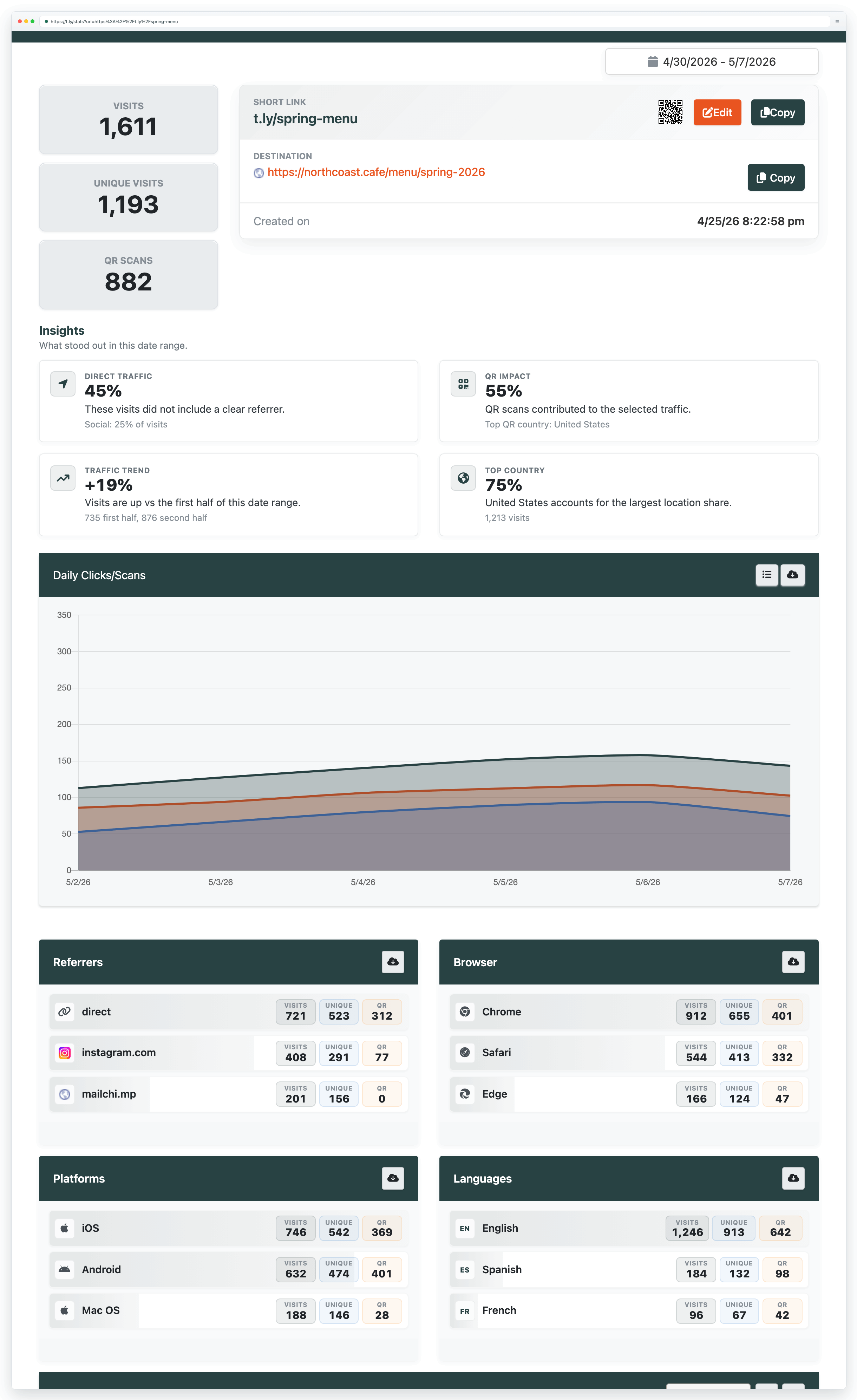
What the T.LY numbers mean
- Visits: tracked requests to the short link. The same person can create more than one visit.
- Unique visits: one visit per IP address, per short link, per day. This is a useful estimate, not a person count. Shared office or mobile networks can combine people, while changing networks or VPN addresses can separate one person into more than one unique visit.
- QR scans: visits identified as coming through the QR flow. A QR scan is also a visit, so do not add the QR total to the visit total.
T.LY filters known crawlers and search-engine robots from standard analytics. Automated security scanners and preview tools change often, so no click platform can promise that every automated request will be caught.
What GA4 counts instead
GA4 sessions are groups of events on the destination site. A session only starts after the landing page loads and the Google tag runs. GA4 also reports users, engaged sessions, and key events. None of those is the same thing as a redirect visit.
| Question | Use T.LY | Use GA4 |
|---|---|---|
| Did someone request this short link? | Visits | Not the primary measure |
| Roughly how many distinct visitors arrived today? | Unique visits | Users or active users |
| Did the landing page start a tracked visit? | Not available | Sessions |
| Did the visitor buy, submit, or sign up? | Not available | Key events and conversions |
Why the totals differ
- A click is not a session. One person can click twice during one GA4 session. One click can also fail to create a session.
- The page or tag did not finish loading. Someone may close the tab, lose their connection, hit an error, or leave before GA4 starts.
- Consent and privacy tools blocked analytics. Cookie consent, ad blockers, browser protections, and disabled JavaScript can stop the Google tag without stopping the redirect.
- The date range or timezone is different. A late-night click can land on different report dates when T.LY and GA4 use different timezones.
- UTM parameters were lost. A destination-side redirect or rewrite can drop campaign parameters. The session may still exist but appear under direct traffic or another source.
- Automated traffic was handled differently. Link previews, email security scanners, uptime checks, and bots do not behave like a normal browser. T.LY and GA4 may filter different requests.
- Unique metrics use different identities. T.LY unique visits are based on IP address per link per day. GA4 users rely on its own browser and consent signals.
How to check a large gap
- Compare the same date range and confirm both accounts use the same timezone.
- Compare T.LY visits with GA4 sessions. Keep unique visits and users separate.
- Add complete UTMs to the destination before shortening it. At minimum, use source, medium, and campaign.
- Click the short link in a private browser window and confirm the final URL keeps its UTM parameters.
- Check GA4 Realtime or DebugView while you run the test.
- Test with and without your consent banner accepted. Make sure the result matches your privacy setup.
- Review the T.LY referrer, browser, platform, and daily trend breakdowns. A sudden burst from one source or device can point to automated traffic.
- Test the destination on mobile data as well as Wi-Fi. Slow pages and redirect chains create more drop-off.
Related guides
Need more help?
If you still have questions, contact [email protected] or use the contact form. For abuse or suspicious links, use Report Abuse. For feature requests, email [email protected].
 Browser Extension



