Campaign tracking (UTMs)
Measure performance by campaign, channel, and placement.
Campaign tracking helps you understand which channel or placement drove results. The easiest way to do this is to use a unique short link (or QR code) per channel and keep your tracking consistent.
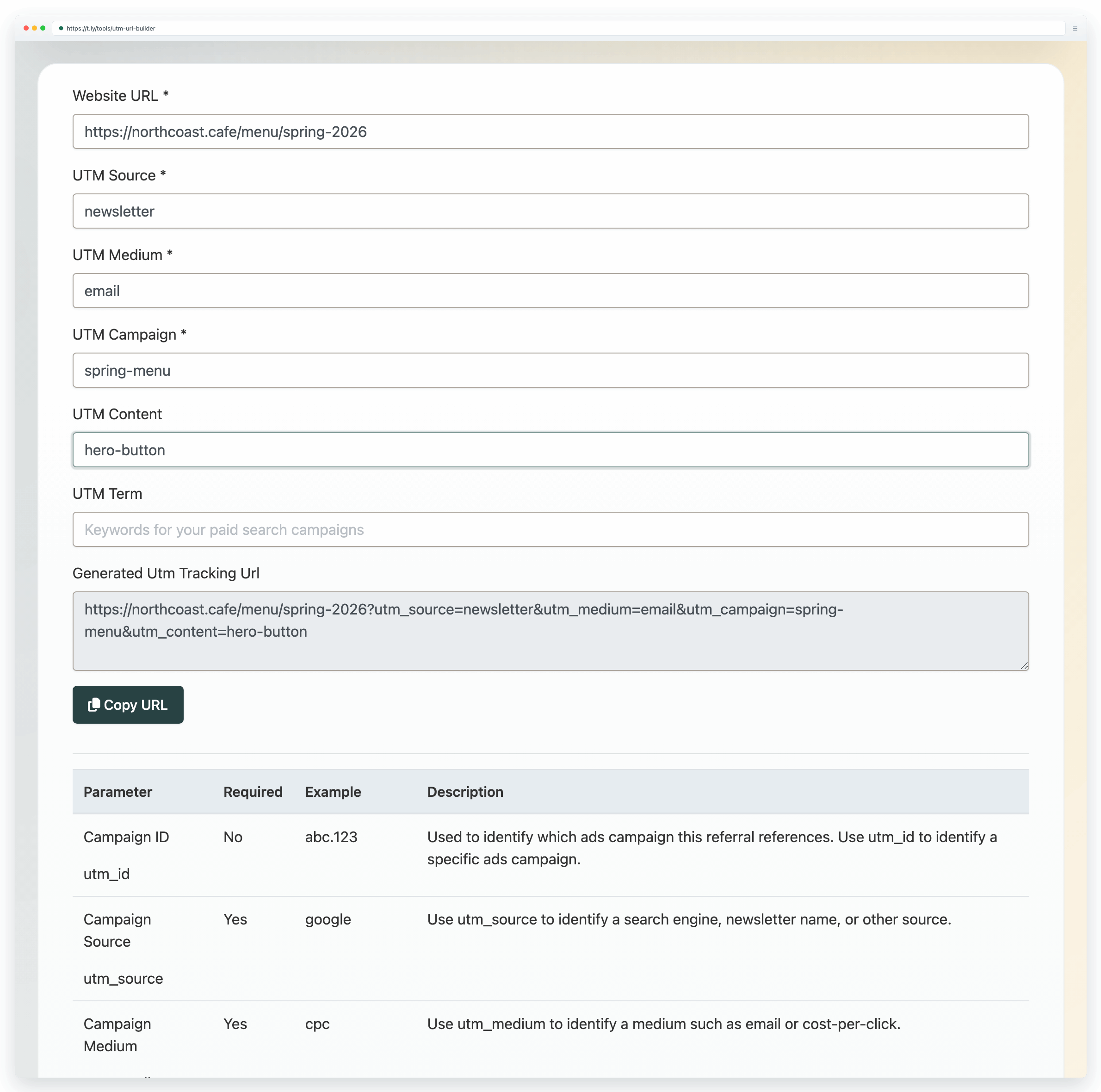
What are UTMs?
UTM parameters are small tags added to the end of a URL so analytics tools can group traffic by campaign. Common fields include source, medium, and campaign.
If you want help building UTMs, start with How do I use T.LY's UTM Builder?.
Simple tracking setup
- One goal per link: decide whether the link is for sales, bookings, signups, or reviews.
- One link per placement: use different links for email, flyers, posters, and social.
- Keep naming consistent: simple, readable campaign names are easier to report on later.
- Measure outcomes: scans and clicks are helpful, but conversions are the result.
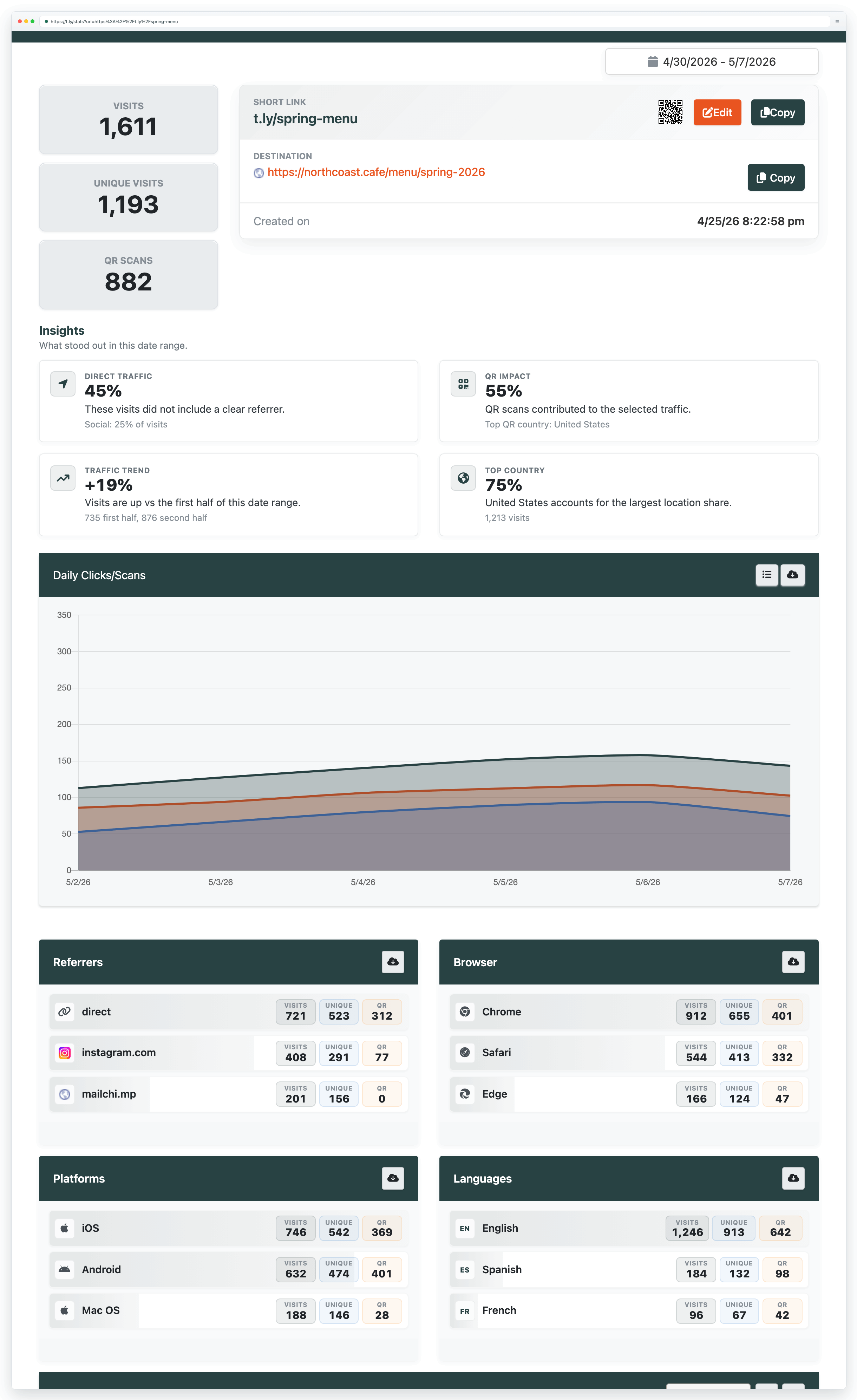
For dashboards and reporting, see Link Tracker.
Need more help?
If you still have questions, contact [email protected] or use the contact form. For abuse or suspicious links, use Report Abuse. For feature requests, email [email protected].
 Browser Extension



