Smart URLs (routing)
Send people to the right destination based on device or context.
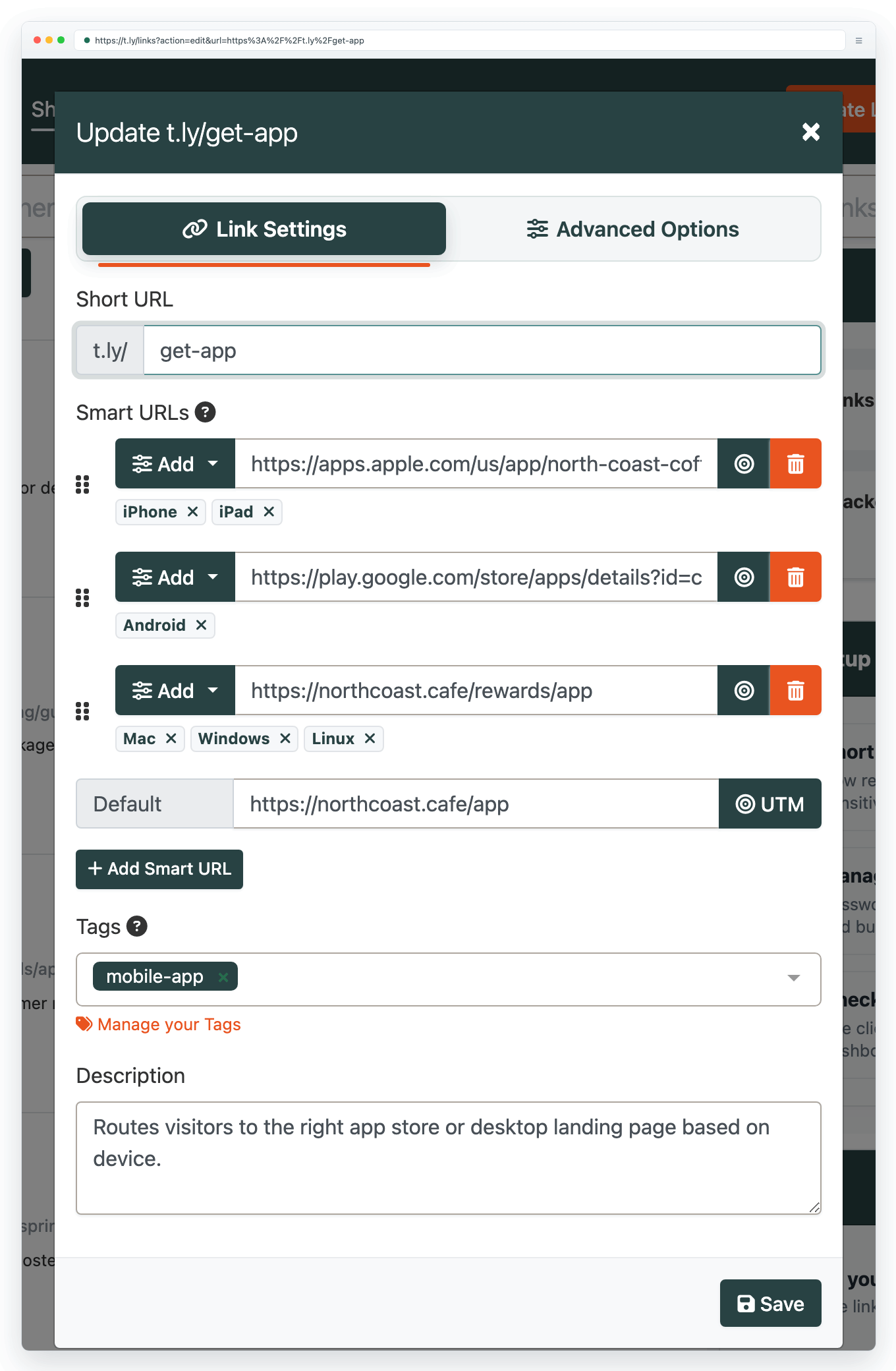
Smart URLs help you send people to the best destination for their device or context, while keeping one link to share everywhere.
Common uses
- App installs: send iOS users to the App Store and Android users to Google Play.
- Country or language pages: route visitors to localized landing pages.
- Campaign flexibility: keep one short link, update destinations as campaigns change.
- QR codes: print one QR code and update the landing page later.
Best practices
- Keep a clear default destination (fallback) for everyone else.
- Test on real devices before sharing widely.
- Use descriptive destinations so your team can maintain the link later.
Smart URL features are managed in Link Management.
Need more help?
If you still have questions, contact [email protected] or use the contact form. For abuse or suspicious links, use Report Abuse. For feature requests, email [email protected].
 Browser Extension



