A/B rotation links
Split one short link across multiple destinations with weighted rotation.
A/B rotation lets one short link send visitors to more than one destination. Use it when you want a simple split test, a soft launch across two landing pages, or a temporary traffic split without creating a separate public link for every variant.
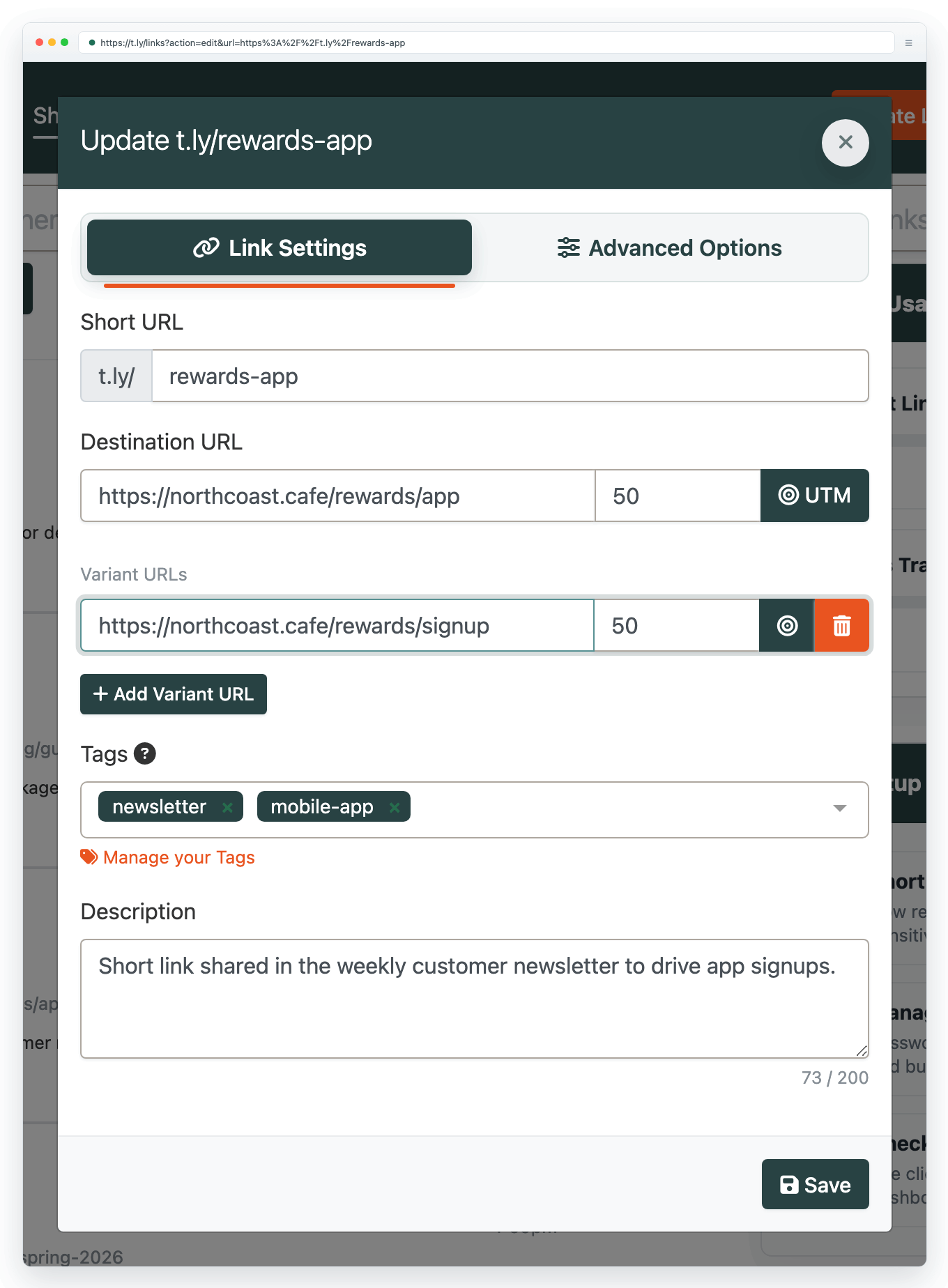
How rotation works
- The original destination and each variant become part of the rotation pool.
- Weights control how often each destination is selected. A 50/50 split sends roughly half the traffic to each destination.
- If you add or remove variants, T.LY can rebalance the weights for you.
- Rotation is random over time. Small samples may not match the exact percentage split.
Create an A/B rotation link
- Open Links and create or edit a short link.
- Use the normal Destination URL for your primary variant.
- Click A/B Rotation.
- Add one or more variant destination URLs.
- Set the weight for each destination. The total must equal 100%.
- Save the link, then test the short URL a few times before you share it widely.
When to use rotation
- Landing page tests: compare two pages behind one public link.
- Offer tests: send a small percentage of traffic to a new offer before moving more traffic over.
- Creator or campaign tests: try different store pages, booking pages, or signup flows without changing the link in your post, email, or QR code.
Rotation vs. Smart URLs
Use rotation when visitors should be split between variants. Use Smart URLs when visitors should be routed by device, browser, location, language, source, or time.
Smart URLs and A/B rotation are mutually exclusive on the same link. If you turn one on, the other is cleared so redirect behavior stays predictable.
Tracking results
Use link analytics to review total traffic, QR scans, referrers, devices, and location trends. If you need conversion data inside GA4, HubSpot, or another analytics tool, give each variant its own UTM values before you save the rotation destination.
Need more help?
If you still have questions, contact [email protected] or use the contact form. For abuse or suspicious links, use Report Abuse. For feature requests, email [email protected].
 Browser Extension



