OneLinks analytics
Measure page visits, button clicks, and offline-to-online traffic.
OneLinks work best when you can tell which page visits and button taps are actually moving people forward. Good measurement starts with a clean page structure, then uses stats to compare what visitors saw versus what they clicked.
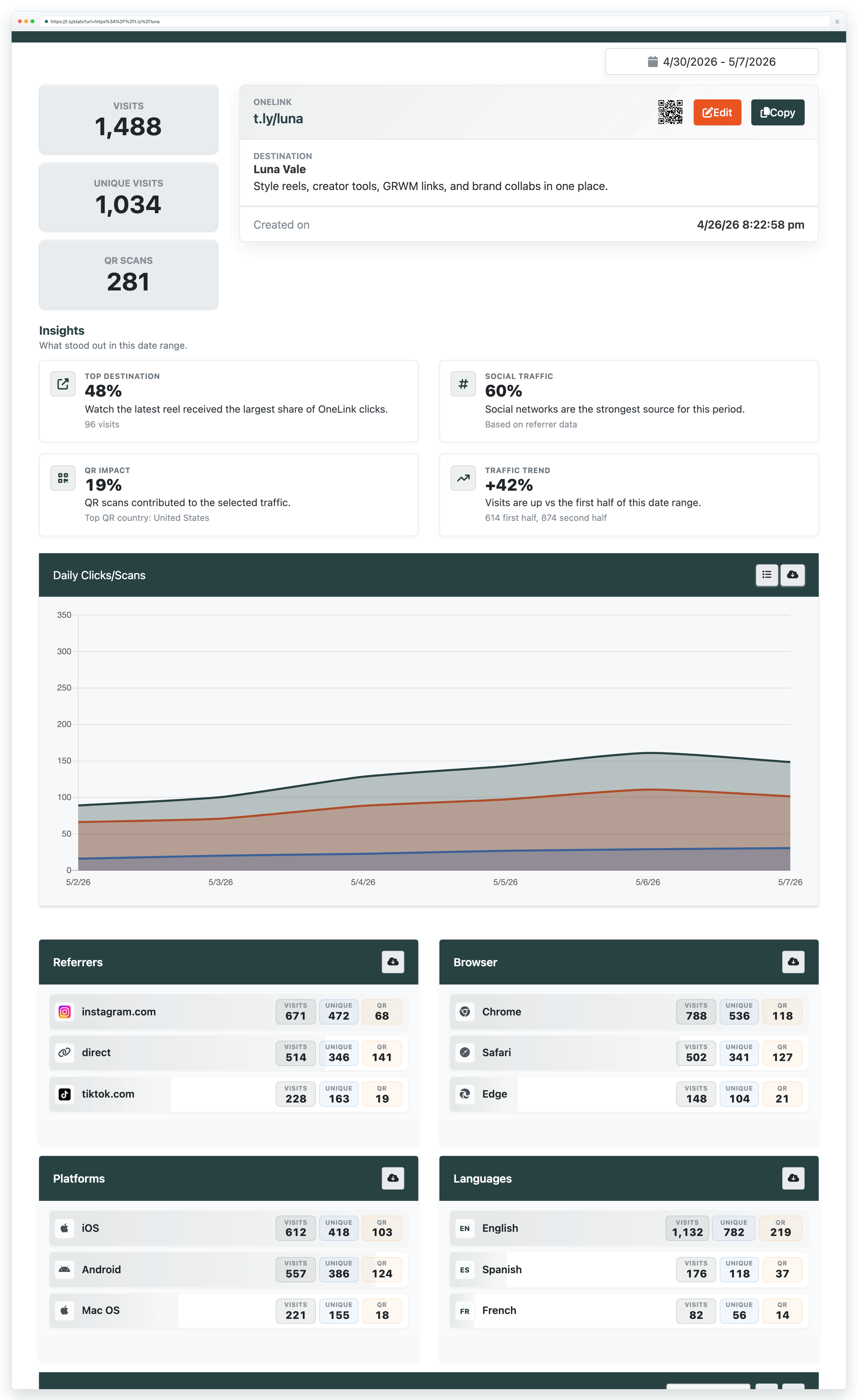
What to measure
- Page visits: how many people reached the OneLink itself.
- Button clicks: which destinations were tapped most often.
- Traffic source: whether visits came from bio links, QR placements, email, or partner traffic.
- Time trends: whether performance improved after a content or design change.
Set up cleaner reporting
- Give each button one clear job instead of mixing multiple outcomes on a single destination.
- Use unique destination URLs or UTM presets when two buttons look similar but need separate attribution.
- If you share the same OneLink in multiple places, use different short links or QR placements when you want placement-level reporting.
How to interpret the numbers
- High page visits with low button clicks usually means the page is unclear or overloaded.
- A strong first button often captures most taps, so ordering matters.
- If offline placements matter, compare QR-driven traffic against the same OneLink shared online.
Optimization ideas
- Rewrite weak button labels so the value is explicit.
- Move the most important conversion action higher on the page.
- Archive or remove links that no longer support the current goal.
- When you redesign the page, review Templates and styling so design changes support the metrics you want.
Need more help?
If you still have questions, contact [email protected] or use the contact form. For abuse or suspicious links, use Report Abuse. For feature requests, email [email protected].
 Browser Extension



