Organize and track campaigns
Simple conventions that keep reporting clean across channels and placements.
Clean tracking starts with a few simple habits. This guide covers lightweight conventions that make analytics easier across email, social, ads, QR placements, and partners.
Use a consistent campaign structure
- Create a unique short link per channel or placement (example: one for email, one for Instagram bio, one for a flyer QR code).
- Use UTMs when you need attribution in your analytics platform. See Campaign tracking (UTMs).
- Keep a simple source-of-truth sheet (destination URL, short link, channel, start date) so teams stay aligned.
Choose the right tracking surface
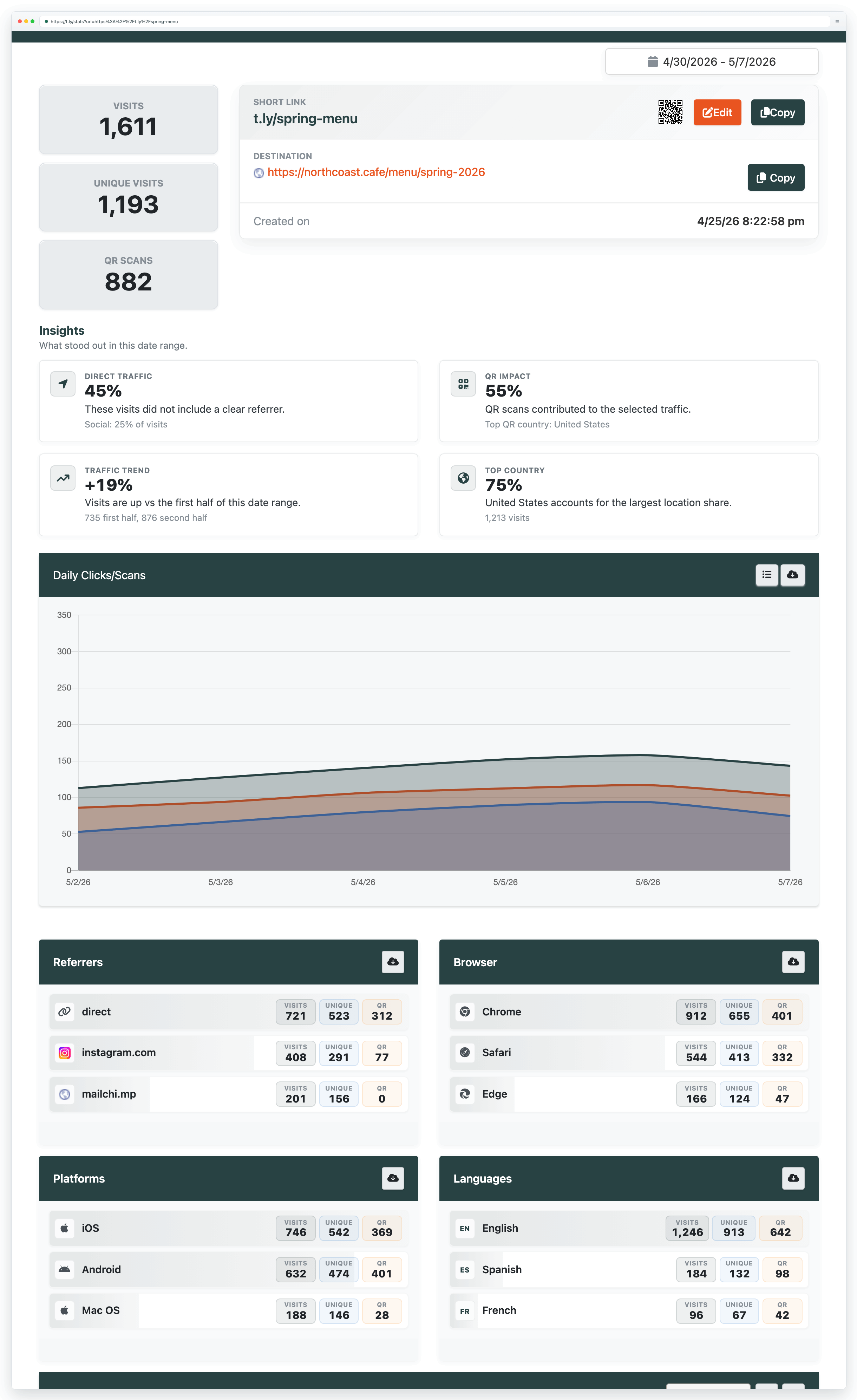
- For quick stats on t.ly links, add a + to the end of the short link to open the stats page.
- For dashboards, filtering, and reporting, see Analytics & Link Tracker.
- For QR scan analytics, start with Track QR code scans.
Prefer “updateable” assets for long-running campaigns
- If the destination might change, consider permanent links so you can update the redirect later.
- If you are printing QR codes, consider dynamic QR codes for the same reason.
- When your brand needs to be front-and-center, use a custom domain.
Need more help?
If you still have questions, contact [email protected] or use the contact form. For abuse or suspicious links, use Report Abuse. For feature requests, email [email protected].
 Browser Extension



