Webhooks
Receive real-time link events at your own endpoint.
Webhooks let T.LY send real-time HTTP requests to your server when an event happens (for example, when someone clicks a link). Use them to trigger automations, sync analytics, or notify other systems without polling. For the launch overview and use-case framing, read Introducing Webhooks: Real-Time Link Events.
Requirements
- Webhooks are available on Business plans.
- Your endpoint URL must be https and resolve to a public host (no
localhostand no IP addresses). - Your endpoint should accept JSON and respond with a 2xx status code (redirect responses are treated as failures).
- Verify requests using the
X-Tly-Keyheader (treat it like a password).
Supported events
short_link.visited: A short link was clicked.one_link.visited: A OneLink page was visited.one_link.link_visited: A link on a OneLink was clicked.
Set up a webhook
- Create an endpoint on your server that accepts
POSTJSON. - In your account settings, open Settings > Webhooks.
- Add a webhook URL, choose events, and optionally select Tags to limit which links trigger deliveries.
- Copy and store the webhook secret when it is shown. It is not displayed again.
- Use Send Test and check Delivery Logs for status codes and errors.
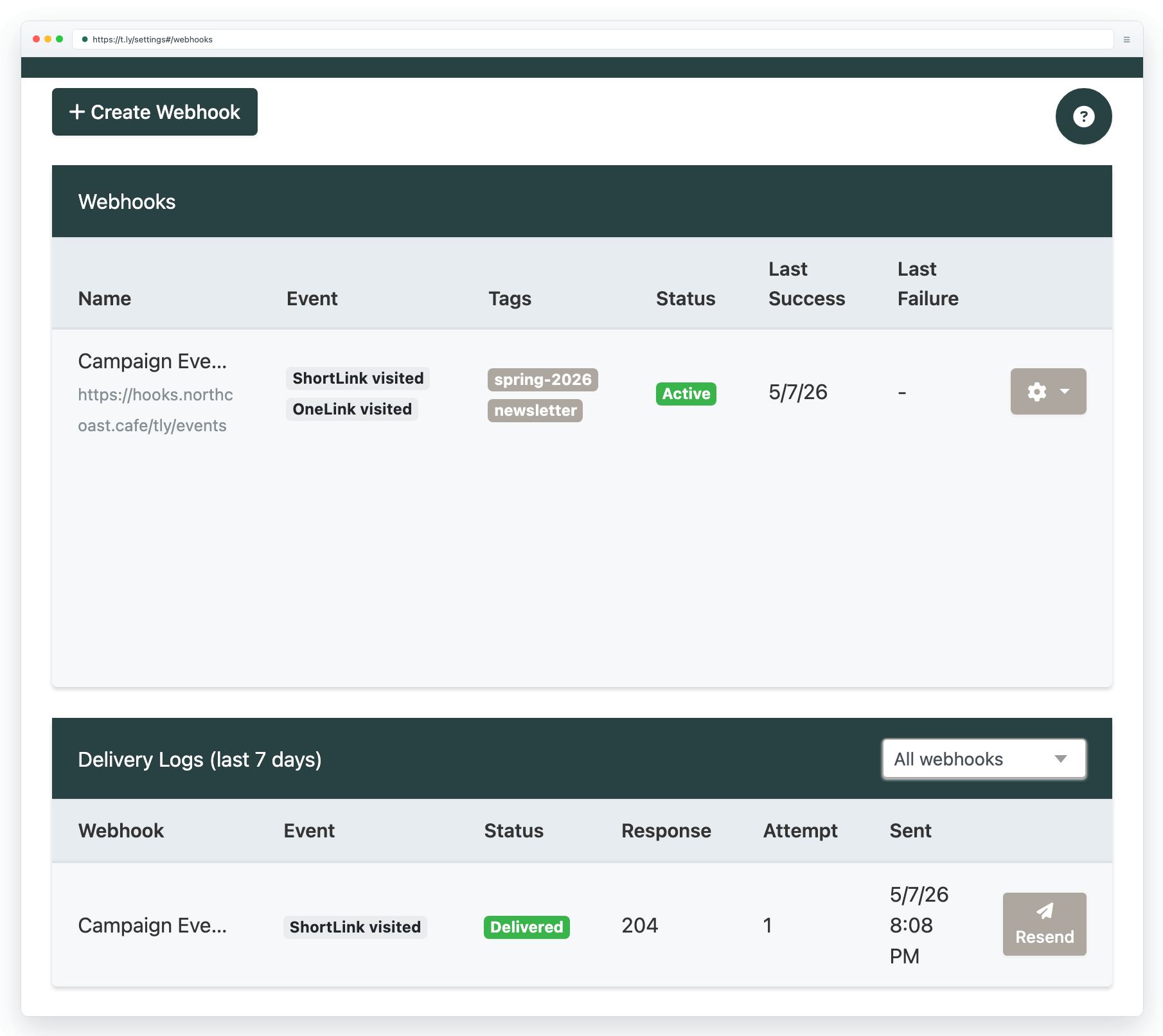
What T.LY sends
Every webhook request is a JSON body with helpful headers:
X-Tly-Key: Your webhook secret (use this to verify the request).X-Tly-Event: The event name.X-Tly-Delivery: A unique delivery id.X-Tly-Timestamp: Unix timestamp (seconds).
Example verification (Node/Express):
const secret = process.env.TLY_WEBHOOK_SECRET;
const key = req.get('X-Tly-Key') || '';

if (key !== secret) {
    return res.status(401).send('Invalid webhook key');
}

return res.status(204).send();
Example payload (fields vary by event):
{
  "event": "short_link.visited",
  "created_at": "2026-02-14T00:00:00Z",
  "actor_id": null,
  "data": {
    "short_url": "https://t.ly/Example",
    "long_url": "https://example.com/"
  },
  "engagement": {
    "qr_code": false,
    "referrer": "https://google.com/",
    "browser": "Chrome",
    "platform": "Mac OS",
    "country_code": "US",
    "region": "CA",
    "city": "San Francisco",
    "created_at": "2026-02-14T00:00:00Z"
  },
  "delivery_id": "6c2d1d02-8d7b-4a0c-9b7f-0f6b7f9f6b1a",
  "sent_at": "2026-02-14T00:00:01Z"
}
Retries, limits, and logs
- Failed deliveries are retried up to 3 times with a short delay between attempts.
- If your team hits its delivery rate limit, deliveries may be skipped.
- After repeated failures, a webhook may be automatically disabled.
- Delivery logs are retained for 7 days.
Need more help?
If you still have questions, contact [email protected] or use the contact form. For abuse or suspicious links, use Report Abuse. For feature requests, email [email protected].
 Browser Extension



