Custom domains
Brand your links with your own domain.
Custom domains let you replace t.ly with your own branded domain so every share builds trust and recognition. Pair one with the T.LY custom URL shortener to create branded links you can edit and track. For provider-specific steps, use the custom domain DNS setup guide.
Still choosing a domain? Read how to choose a short branded domain for examples and naming tips.
Why use a custom domain?
- Brand consistency: your links look like your business, not a generic shortener.
- Higher trust: people are more likely to click links that look familiar.
- Cleaner campaigns: keep your marketing links consistent across email, SMS, print, and social.
- Operational flexibility: use one domain for links and another for QR or offline campaigns if needed.
Before you start
- Decide whether you want to connect a root domain like
example.comor a subdomain likego.example.com. - Choose a fallback URL for unmatched short links on that domain.
- Choose whether T.LY should ignore capitalization or match it exactly. Ignoring it is recommended because
/Saleand/salewill open the same short link.
Set up your domain
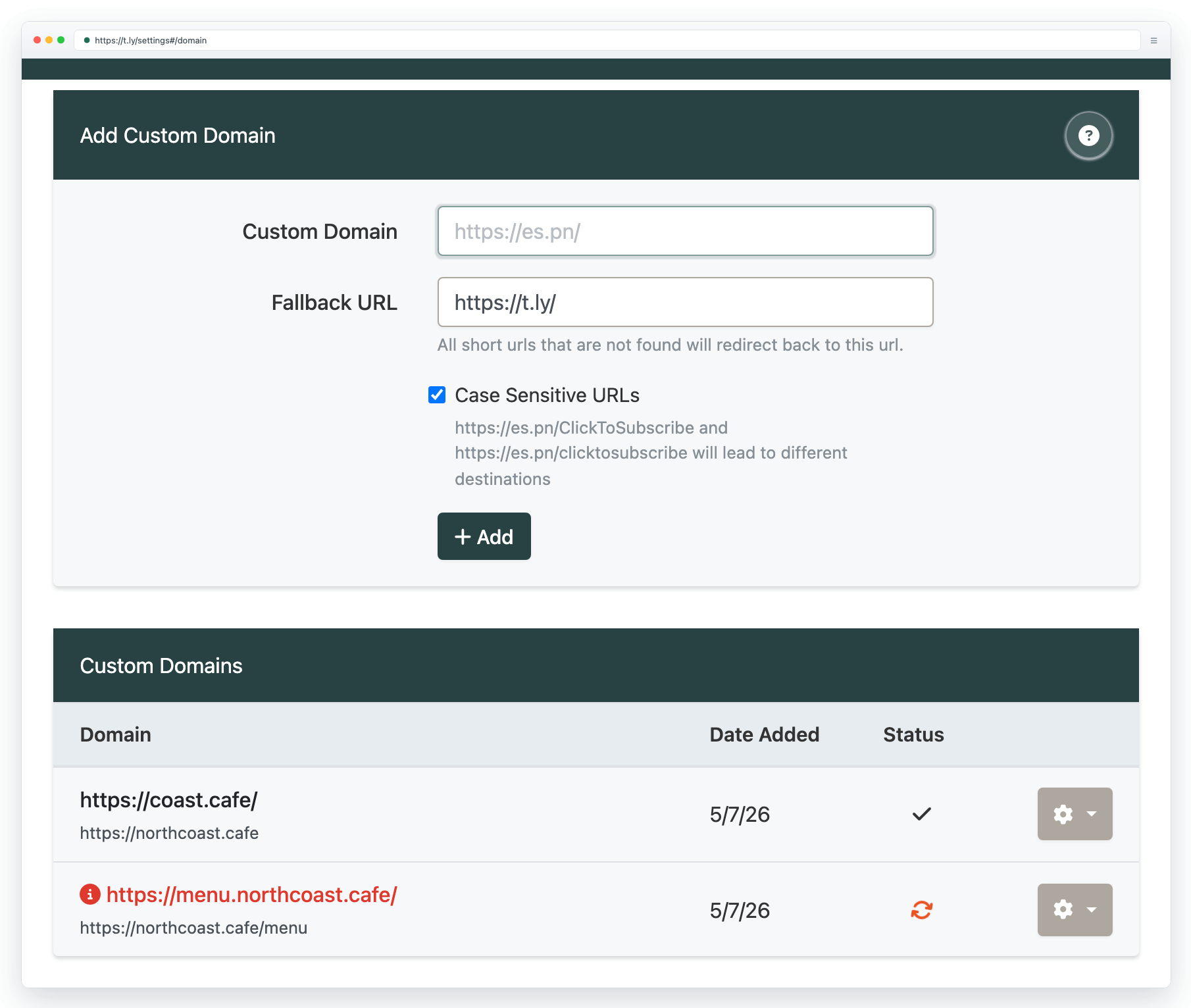
- Open Settings > Domains.
- Enter the hostname you want to use, such as
go.example.com. Do not includehttps://or a path. - Choose your fallback URL and capitalization preference, then select Add.
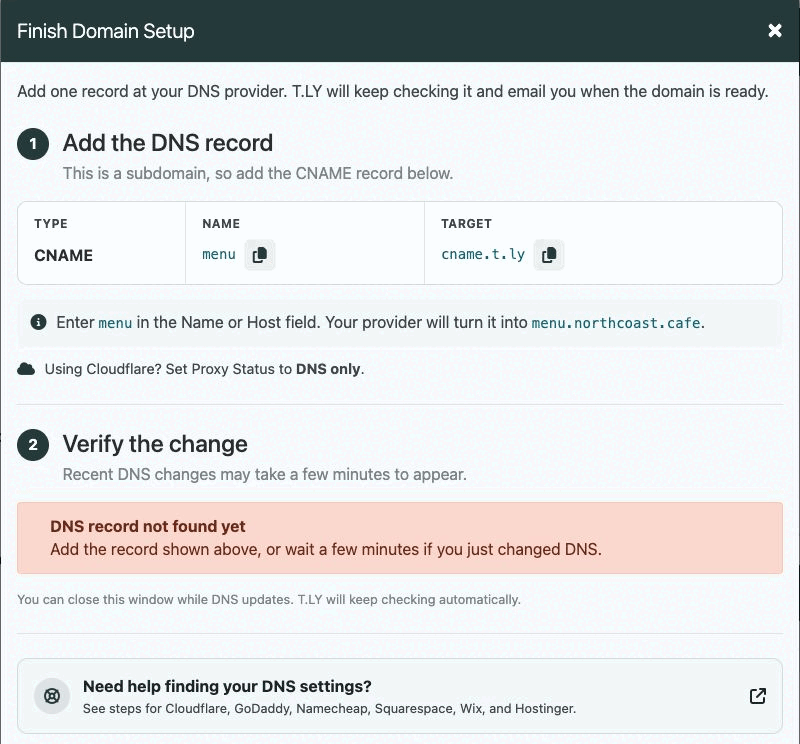
- Follow the DNS instructions shown in the setup flow for your exact host.
Choose the right DNS record
- Root domain: use an A record with Name
@and the target shown in the domain setup modal. - Subdomain: use a CNAME record. For
go.example.com, entergoin the Name or Host field. - Use one connection method for the host you are setting up. Avoid leaving extra A or AAAA records on the same host if they conflict.
If you use Cloudflare
Set the record to DNS only while you are verifying the domain. If the orange cloud proxy stays on, T.LY cannot see the record it needs to validate. See the Cloudflare setup steps for the exact fields.
Verify DNS and wait for propagation
- After saving the DNS record, return to your domain list and use Verify DNS Records if needed.
- DNS changes can take time to appear globally, even when the record is correct.
- T.LY will continue checking and can notify you when the domain is ready.
Common issues
- Still pending: read the status shown beside the detected DNS records. It identifies a missing record, wrong value, wrong record type, or blocking AAAA record.
- Cloudflare proxy enabled: switch to DNS only, then verify again.
- Unexpected 404s: review your fallback URL and make sure the specific short link exists on that domain.
For more detail, choose your provider in the custom domain DNS setup guide.
After your domain is live
- Use branded domains for your most visible campaigns first.
- Document your slug naming conventions so multiple teammates can maintain the domain safely.
- If you are launching a printed campaign, pair this with QR code printing guide and Go-live checklist.
Need more help?
If you still have questions, contact [email protected] or use the contact form. For abuse or suspicious links, use Report Abuse. For feature requests, email [email protected].
 Browser Extension



