OneLinks 2.0
OneLinks just got a major update with new templates, theme controls, blocks, QR features, and analytics improvements.
Build a OneLink faster, keep it on-brand, and understand performance across taps and scans.
TL;DR
- New template gallery (Link-in-bio, Digital business card, Products): 12 curated templates plus Start from scratch.
- New theme customization with live preview: colors, fonts, buttons, radius, spacing, and type scale.
- New block-based builder with drag-and-drop and layout variants.
- Custom QR codes: team default styling applies to OneLinks, with per-block overrides.
- Analytics upgrades: separate clicks vs. QR scans plus referrer, geo, platform, and device breakdowns.
- Edit history: you can now review recent changes to your ShortLinks and OneLinks.
- Legacy OneLinks automatically convert to the new format.
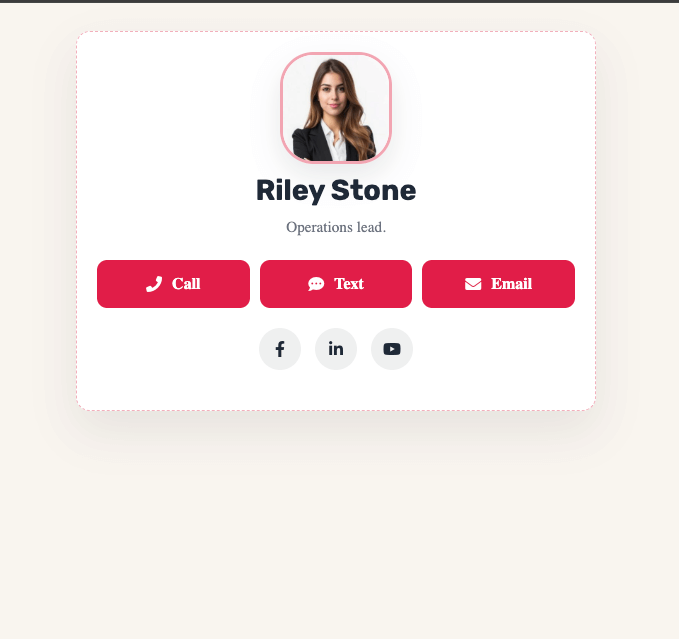
What’s New
OneLinks is often the page that gets shared most and updated most. This release makes it easier to start with a strong layout, customize it quickly, and keep improving it over time.
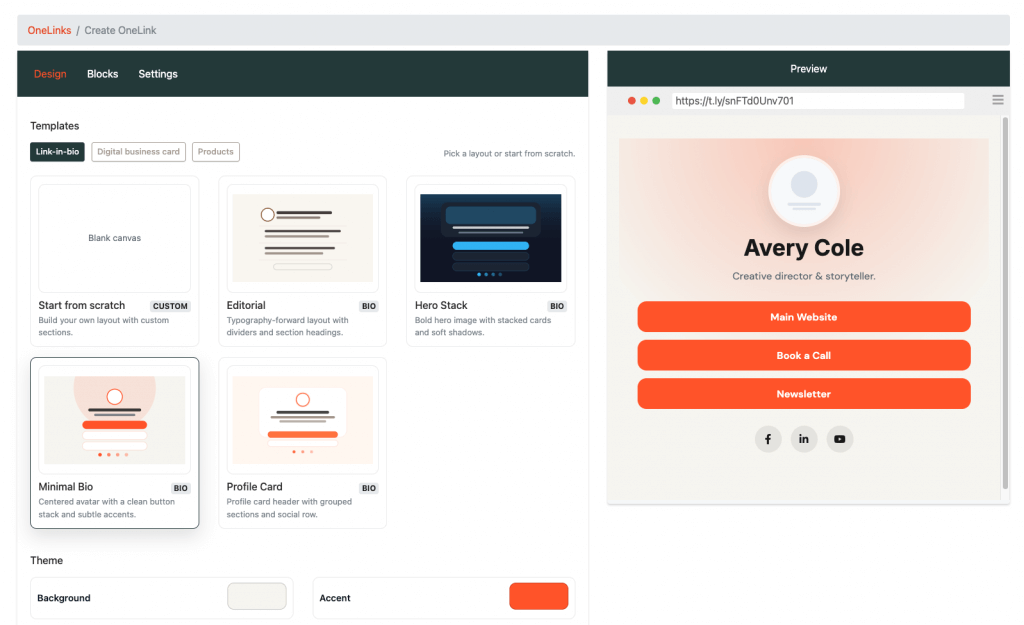
1) A new template gallery
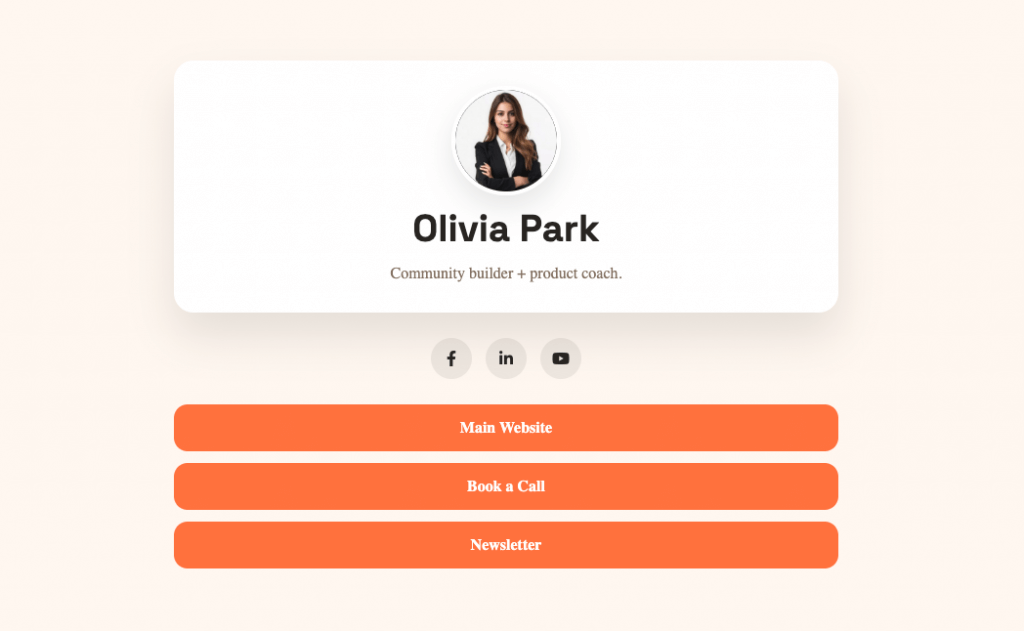
When you create a OneLink, you can now start from a template gallery organized around common use cases. The templates and styles guide shows how to choose a starting point and adjust the design.
- Link-in-bio
- Digital business card
- Products
You get 12 curated templates plus a blank Start from scratch option.
2) Theme customization with live preview
You can now customize your OneLink while you edit it. Theme settings include:
- Colors
- Fonts
- Button styles
- Corner radius
- Spacing
- Type scale
3) A block-based builder
OneLinks now uses a block-based builder. Add content in pieces, then reorder or remove blocks with drag-and-drop. Many blocks also support layout variants, so you can change structure without starting over. See the OneLink blocks guide for the current block types and settings.
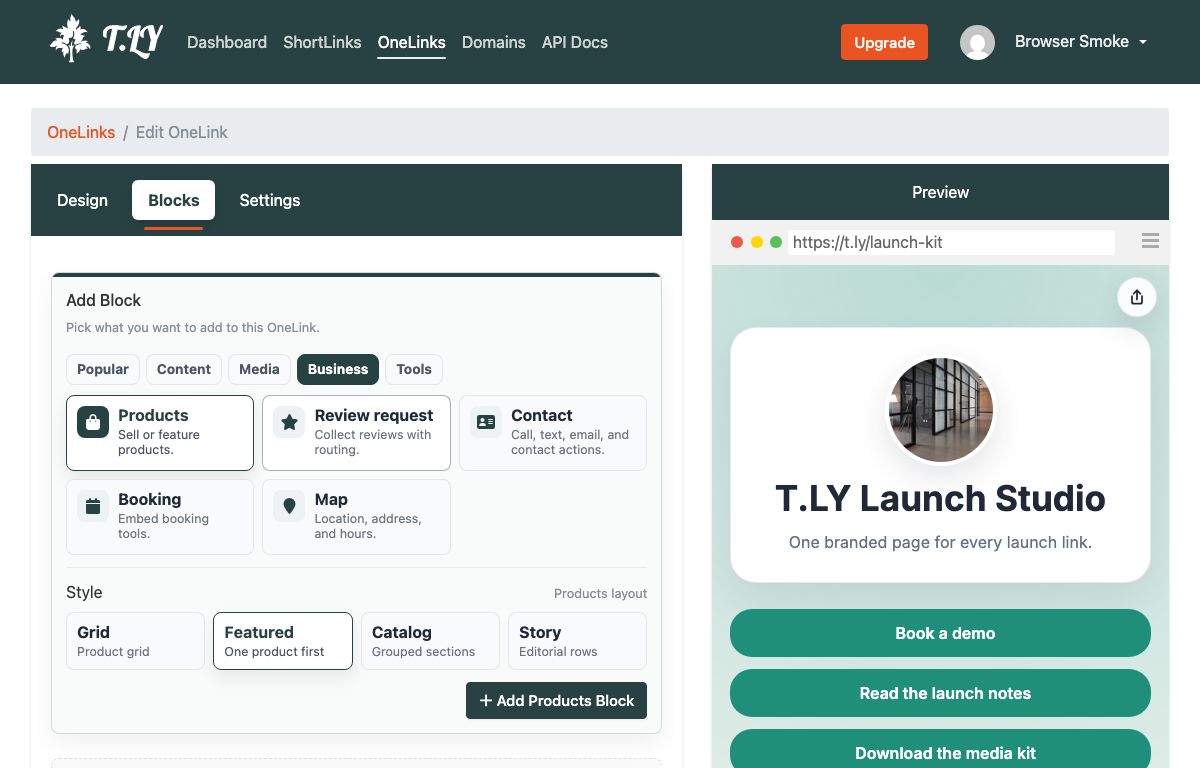
Available block types:
- Profile, Hero, Image, Text
- Links, Products
- Review request, Contact
- QR code, Video, Social
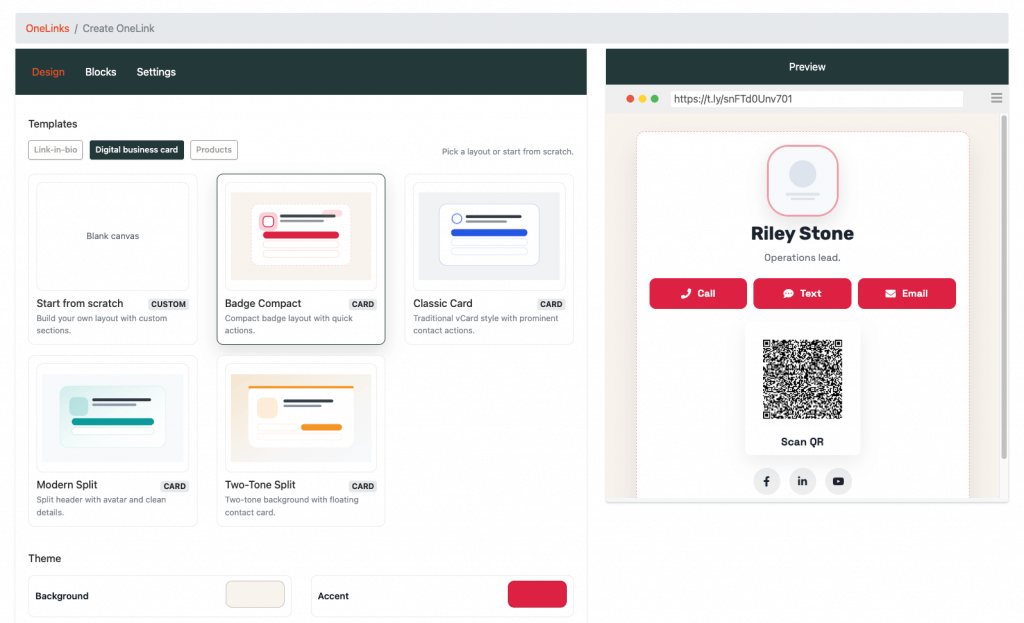
4) Custom QR codes
QR codes are now more flexible inside OneLinks:
- Your team default QR styling automatically applies
- Individual blocks can override the style when needed
- QR blocks support URLs and vCards
5) Analytics upgrades
OneLink analytics now separate clicks and QR scans, making it easier to understand how the page performs online and offline. You can also review referrer, geo, and device breakdowns in the dashboard. The OneLink analytics guide explains each metric.
6) Edit history
OneLinks now keep recent edit history, making it easier to review changes and collaborate with a team.
7) Legacy OneLinks convert automatically
Existing OneLinks automatically convert to the new block system, so you can use the new builder, themes, analytics, QR options, and edit history right away.
Why It Matters
This update is built around practical improvements:
- Faster setup with templates
- Better brand consistency with theme controls
- More flexibility with blocks and layout variants
- Clearer performance tracking with clicks vs. scans
How to Try It
- Go to OneLinks in your T.LY dashboard.
- Create a new OneLink or open an existing one.
- Choose a template or start from scratch.
- Build with blocks, apply your theme, and publish.
- Review clicks, scans, and other analytics in the dashboard.
Related Posts

Tim Leland
Useful Tools
Ready to improve how you manage links?
T.LY URL Shortener makes long links look cleaner and easier to share! Add your own Custom Domains to personalize your brand. Create Smart Links to customize a URL's destination. Generate QR codes to promote your business.
Start your 5-day trial Browser Extension



