
How to Make WordPress Links Shorter
WordPress urls can often be long due to the nature of the title and often include dates in the URL. A great solution to make URLs easier to share while keeping them intact with metadata is to use T.LY URL Shortener to shorten long WordPress URLs. Below is a short guide on how to create short WordPress URLs.
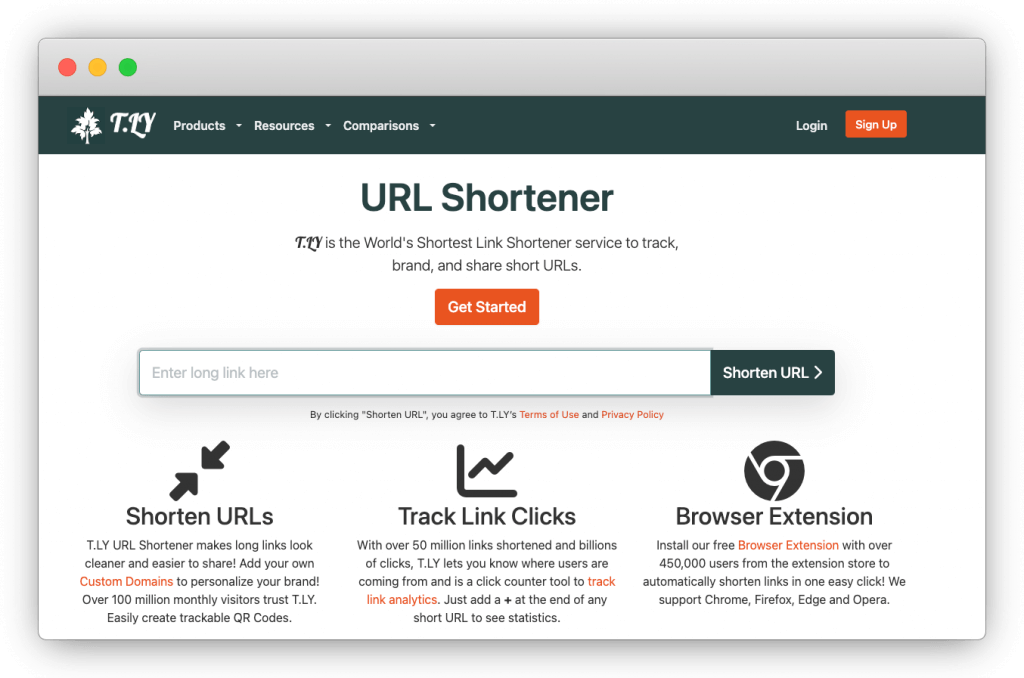
Steps to Shorten a Link:
- Visit T.LY URL Shortener: Open your browser and navigate to the T.LY homepage.
- Paste Your Long URL: Copy the lengthy link you want to shorten and paste it into the input box.
- Click "Shorten URL": Hit the button, and voilà! You’ll get a shortened URL instantly.
- Copy and Share: Use the short link anywhere, on social media, in presentations, or even as a QR code.
Why Use T.LY?
- Fast and Easy: Get a short link in seconds.
- Trackable Analytics: Monitor clicks and performance with built-in analytics. The link tracking guide explains how to read the results.
- Custom Links: Personalize your short URLs for better branding.
- Integration: Works well with tools like Slack, the T.LY WordPress plugin, browser extensions, and T.LY mobile apps for iPhone and iPad and Android.
Shortened links are more user-friendly and professional, which can improve engagement and click-through rates. With T.LY, you are not just shortening links. You are making them easier to share and manage.
Start shortening today at T.LY!



Tim Leland
Useful Tools
Ready to improve how you manage links?
T.LY URL Shortener makes long links look cleaner and easier to share! Add your own Custom Domains to personalize your brand. Create Smart Links to customize a URL's destination. Generate QR codes to promote your business.
Start your 5-day trial Browser Extension



