
Introducing the T.LY WordPress Plugin
The official TLY URL Shortener WordPress plugin is now available. It connects WordPress to the T.LY API so editors can create, regenerate, copy, and manage short links without leaving the dashboard.
If you publish blog posts, landing pages, or marketing content in WordPress, this makes shortening links much faster. Instead of bouncing between your CMS and a separate tool, you can generate short links right where your content is already being created.
What the plugin does
- Automatic short-link generation on publish for posts and pages
- A post editor meta box with generate, regenerate, copy, and delete-local actions
- Gutenberg sidebar panel integration
- A manual external-link shortener for selected or pasted external links
- Posts list column and row actions
That means your team can create short links while writing, editing, and reviewing content instead of treating link shortening as a separate step at the end.
Why this is useful for WordPress sites
Short links are often part of the publishing process, especially when you are sharing articles on social media, adding links to email campaigns, printing QR codes, or organizing links across marketing channels.
The WordPress plugin helps by keeping that work inside the publishing flow:
- Editors can generate short links from inside WordPress
- Teams can standardize on a T.LY account and API key
- Posts and pages can get short links automatically on publish
- Gutenberg users do not need to leave the editor to manage links
If your site publishes frequently, even a small workflow improvement like this can save time and reduce copy-paste mistakes.
How to get started
Setup is simple:
- Install and activate TLY URL Shortener on WordPress.org.
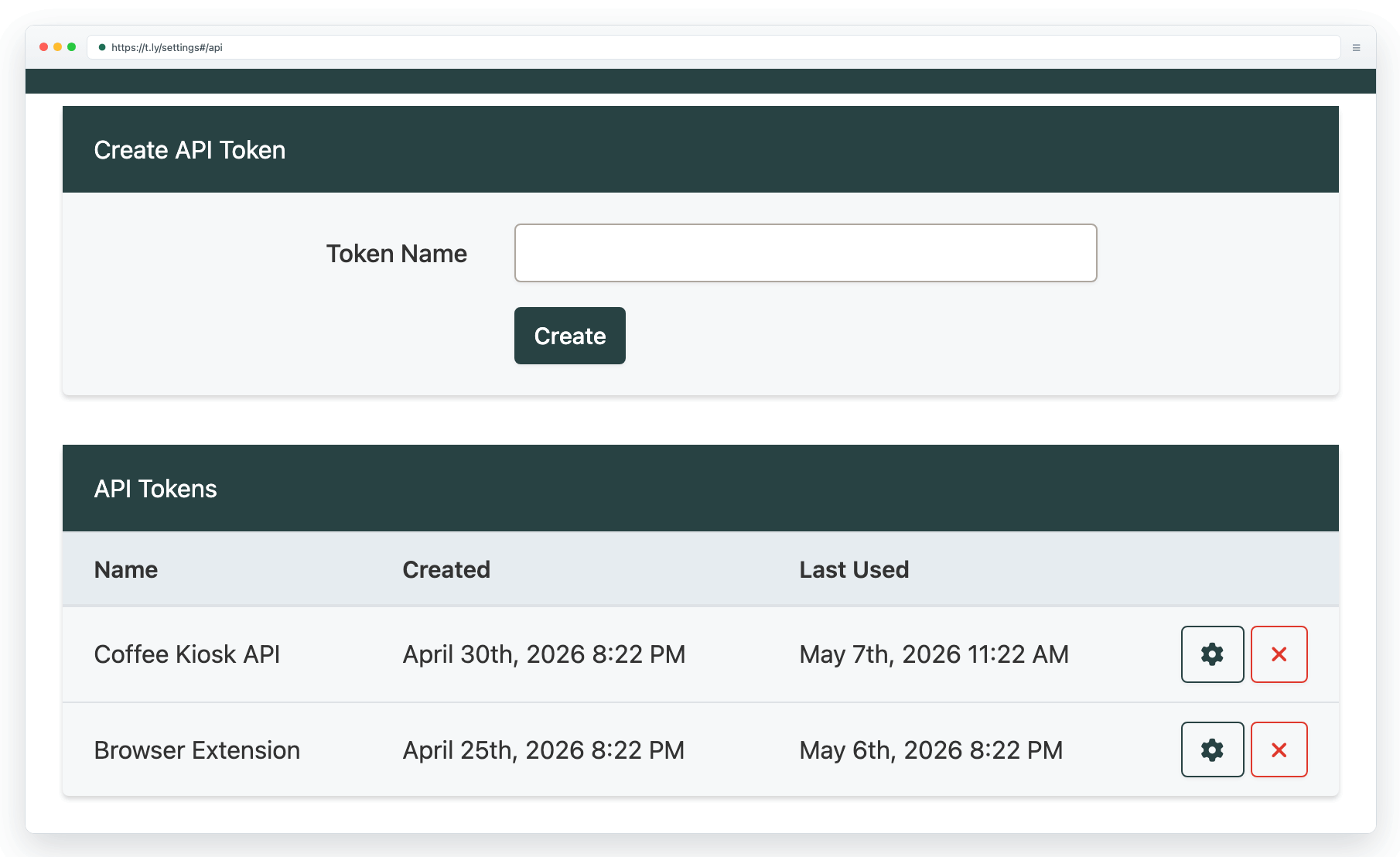
- In WordPress, go to Settings > T.LY.
- Generate a T.LY API key here.
- Add your T.LY API key in the plugin settings.
- Optionally choose a default short domain and enable the workflows you want.
Once connected, you can start creating short links directly from your WordPress dashboard.
A better bridge between WordPress and T.LY
T.LY already helps teams shorten links, track campaigns, create QR-friendly destinations, and manage branded URLs. This plugin brings that workflow directly into WordPress, which is where many teams already create and publish content every day.
If you want the faster support-style overview, see the WordPress plugin help article. If you want to explore more advanced integrations, the T.LY API docs are a good next step.
You can install the plugin here: TLY URL Shortener on WordPress.org.
Related Posts


Tim Leland
Useful Tools
Ready to improve how you manage links?
T.LY URL Shortener makes long links look cleaner and easier to share! Add your own Custom Domains to personalize your brand. Create Smart Links to customize a URL's destination. Generate QR codes to promote your business.
Start your 5-day trial Browser Extension



