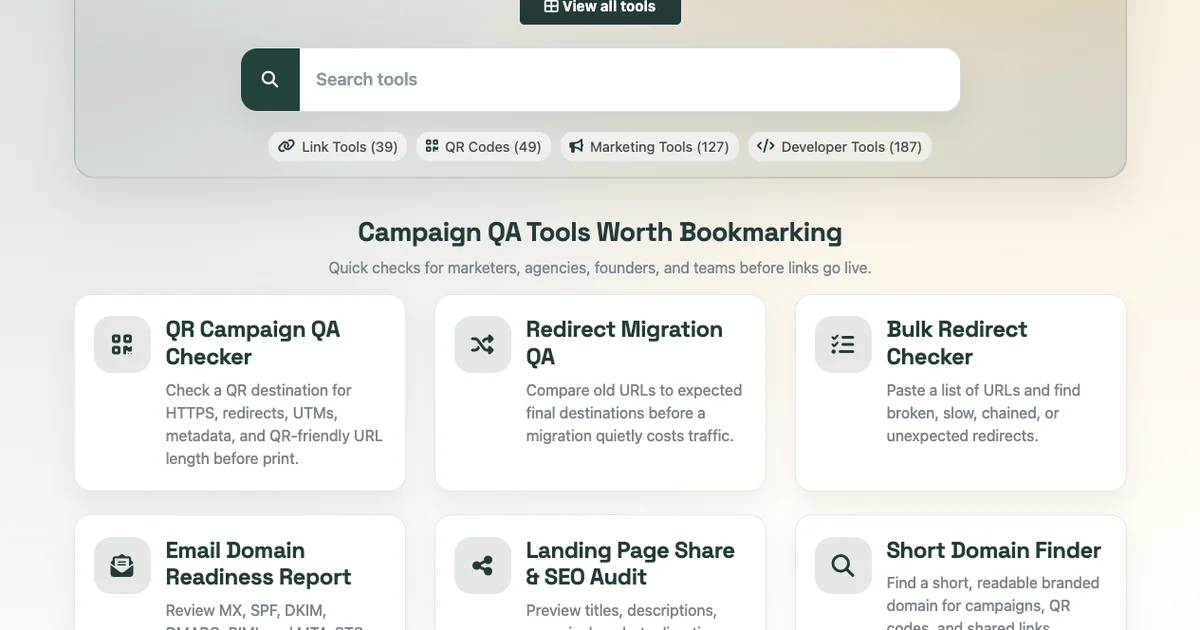
Free T.LY Campaign QA Tools Worth Bookmarking
Most campaign mistakes are boring. That is what makes them expensive. They are small things that get missed before launch:
- A QR code points through too many redirects
- A landing page has the wrong social preview
- An old URL does not redirect to the page you expected
- An email domain is missing DMARC
- A short branded domain is clever but hard to read
- A batch of links has redirect chains that nobody checked
None of these feels like a big deal in the moment. Then the campaign launches, reporting gets messy, or a printed QR code sends people through a weird redirect chain.
T.LY has a growing library of free tools built around these checks. Here are six I would bookmark before a launch, migration, print run, or email campaign.
1. QR Campaign QA Checker
QR Campaign QA Checker helps you check a QR destination before it goes live or gets printed.
Use it before you put a QR code on:
- flyers
- menus
- posters
- packaging
- event badges
- table tents
- direct mail
- real estate signs
The tool checks the stuff that usually gets missed: HTTPS, redirect count, UTM coverage, Open Graph metadata, and URL length.
The point is simple: catch the mistake before the code is on 5,000 printed pieces.
For a deeper campaign setup, read QR Code Tracking: How to Track Scans in 2026, or create a trackable QR code with T.LY QR Code Management.
2. Redirect Migration QA
Redirect Migration QA is for site migrations, rebrands, URL cleanup projects, and domain changes.
Paste old URLs with their expected final destinations. The tool follows each redirect and tells you whether the final page matches what you expected.
This is useful before and after:
- website migrations
- CMS changes
- domain moves
- product URL changes
- blog restructures
- HTTP to HTTPS cleanup
- agency handoffs
Redirect mistakes can quietly cost traffic because the page may still "work" while sending users or search engines to the wrong destination.
This gives you a quick sanity check before the traffic graph delivers the bad news.
3. Bulk Redirect Checker
Bulk Redirect Checker is the broader redirect audit tool.
Paste a list of URLs and review where they end up. It is helpful for finding broken redirects, redirect chains, slow redirects, and unexpected final destinations.
Use it for:
- SEO audits
- affiliate link cleanup
- old campaign links
- link rot checks
- partner pages
- docs migrations
- large redirect lists
One redirect is easy to check manually. A few dozen are not. Bulk checking keeps the work practical.
4. Email Domain Readiness Report
Email Domain Readiness Report checks whether a domain has the core DNS records commonly needed for email trust.
It reviews:
- MX
- SPF
- DKIM
- DMARC
- BIMI
- MTA-STS
This is useful before sending from a new domain, launching a newsletter, setting up a cold email domain, or reviewing a client's email posture.
Email deliverability is not just about copy. A campaign can struggle because the domain setup is incomplete.
If you work with DNS often, the DNS Lookup tool is a good companion.
5. Landing Page Share & SEO Audit
Landing Page Share & SEO Audit checks whether a page is ready to share.
It reviews signals like:
- title tag
- meta description
- canonical tag
- robots directives
- redirect behavior
- Open Graph tags
- Twitter cards
- structured data
- hreflang
This is useful before sending traffic from Product Hunt, LinkedIn, X, email, ads, QR codes, or partner campaigns.
A landing page can look fine in the browser and still preview badly when someone shares it. Catch that before the launch post goes out.
6. Short Domain Finder
Short Domain Finder helps you find short, readable domains for branded links.
A good short domain is:
- easy to say
- easy to type
- connected to your brand
- short enough for QR codes and print
- trustworthy when someone sees it in a post or email
This tool fits naturally with T.LY custom domains. Instead of guessing domain ideas manually, you can search for available short domains across useful TLDs.
Short links are not just about saving characters. A branded short domain can make links look cleaner and more trustworthy.
When to use these tools
Here is the quick pre-launch version:
Before you... Use this Print a QR code QR Campaign QA Checker Launch a migrated site Redirect Migration QA Audit many old links Bulk Redirect Checker Send from a new domain Email Domain Readiness Report Share a landing page Landing Page Share & SEO Audit Set up branded links Short Domain Finder None of these checks takes long.
That is the point. Good QA tools should not turn into another giant workflow. They should help you catch the small problems while there is still time to fix them.
Start with the T.LY tools library, or jump straight into the tool that matches the campaign you are working on.
Related Posts




Tim Leland
Useful Tools
Ready to improve how you manage links?
T.LY URL Shortener makes long links look cleaner and easier to share! Add your own Custom Domains to personalize your brand. Create Smart Links to customize a URL's destination. Generate QR codes to promote your business.
Start your 5-day trial Browser Extension



