
How To Setup A Custom Domain
Connecting your domain to T.LY is a great way to brand short links for personal or business use. If you do not already have a domain, register one with a current registrar or create a subdomain through your DNS provider. Once you have it, setup usually takes a few minutes. If you want the shorter support version, see the Custom domains help article.
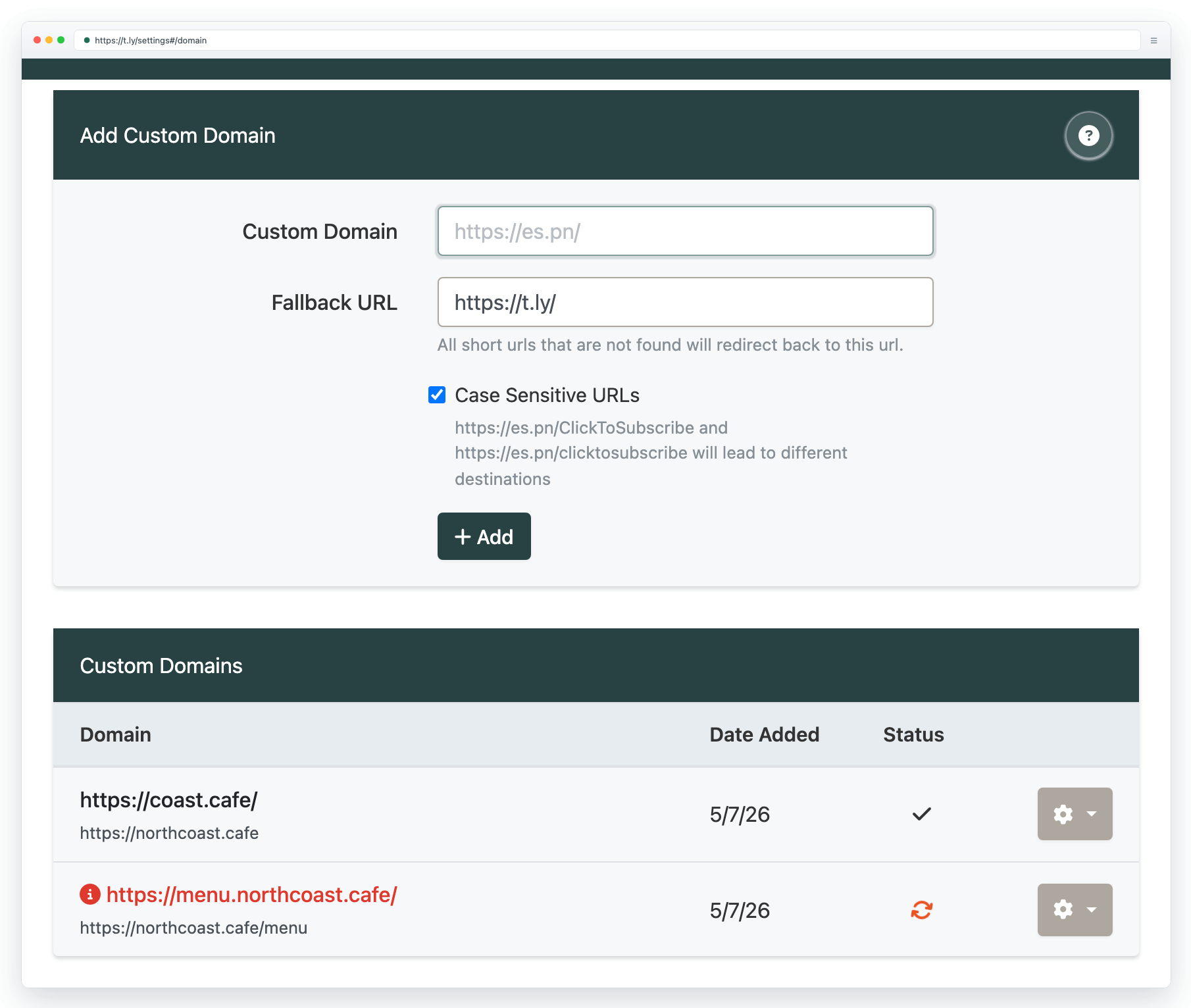
Step 1 Add Domain
Register a T.LY account and open domain settings. Enter only the hostname, such as go.example.com. Do not include https:// or a path. Keep the fallback URL as T.LY or replace it with the page that should receive visits to missing short links. Case sensitivity is off by default.
Step 2 Update DNS Record
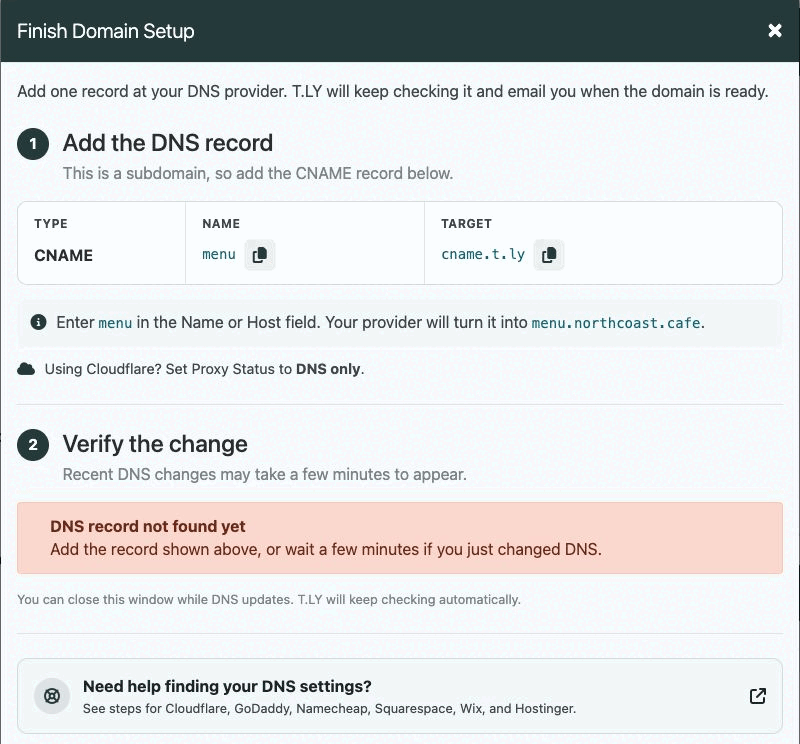
Use the DNS record that matches the domain you added:
- Root domain, such as
example.com: use the A record shown in your T.LY domain settings. - Subdomain, such as
go.example.com: use the CNAME record shown in your T.LY domain settings.
Use only one option. Remove any conflicting A, AAAA, or CNAME records for the same host. If everything is set correctly, you will receive an email when your domain is ready to use.
Change DNS Records at Cloudflare
If using Cloudflare, ensure the "Orange Cloud" or Proxy Status is not enabled.
If your record looks right but verification has not completed, see Custom-domain DNS setup. It covers missing records, wrong values, blocking AAAA records, Cloudflare, and propagation.
Step 3 Use Domain
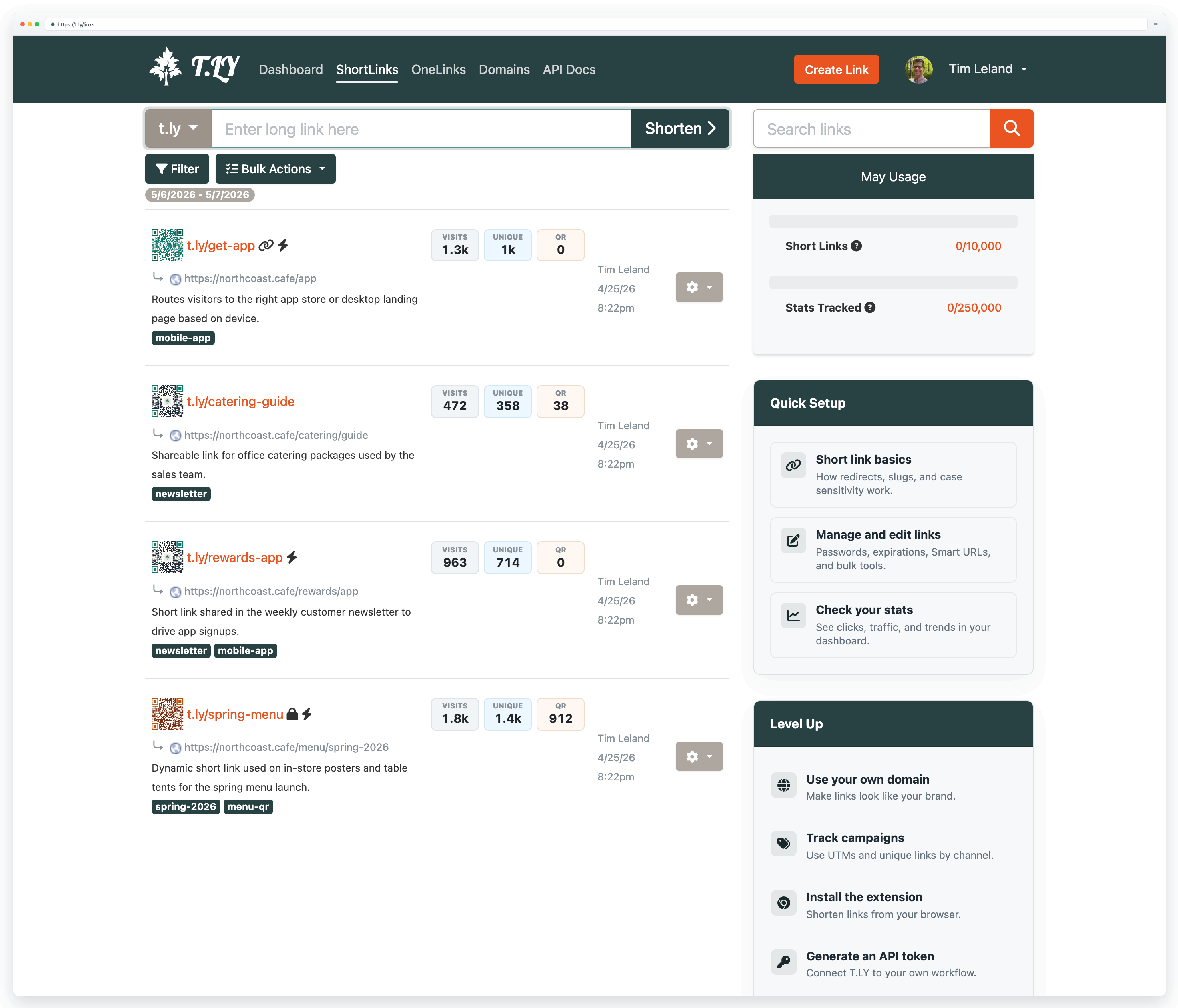
Select your new custom domain when shortening a URL. If you are about to use the domain in print, pair this setup with the Go-live checklist so you can double-check redirects and analytics before launch. If you run into any issues, please contact [email protected].
Related Posts




Tim Leland
Useful Tools
Ready to improve how you manage links?
T.LY URL Shortener makes long links look cleaner and easier to share! Add your own Custom Domains to personalize your brand. Create Smart Links to customize a URL's destination. Generate QR codes to promote your business.
Start your 5-day trial Browser Extension



