T.LY Link Shortener Extension Now Supports Safari
The T.LY Link Shortener Extension now supports Safari.
If Safari is your daily browser, you can create a T.LY short link for the page you are already viewing without opening another tab. Click the toolbar icon, shorten the current page, copy the link, and keep moving.
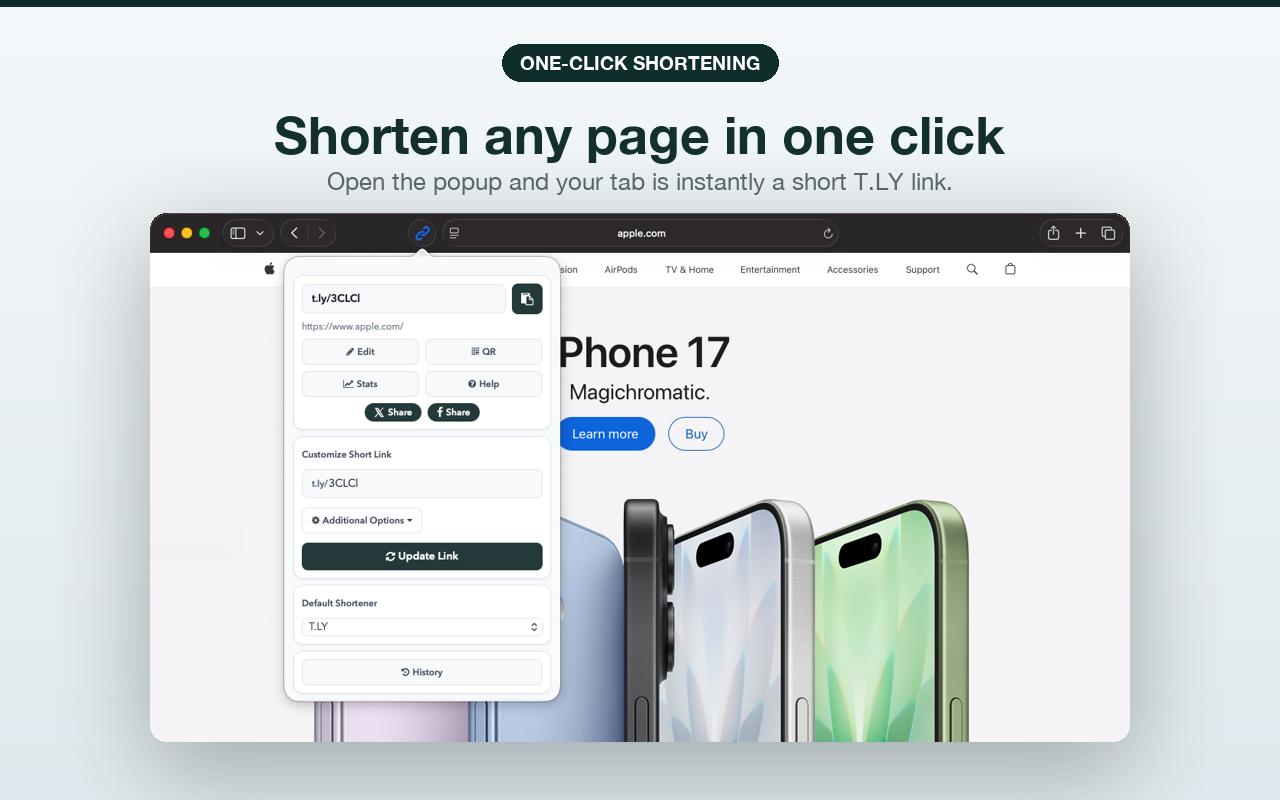
Shorten any page in one click
Open the extension popup and the current Safari tab becomes a short T.LY link. You can copy it, edit it, open stats, or make a QR code from the same popup.
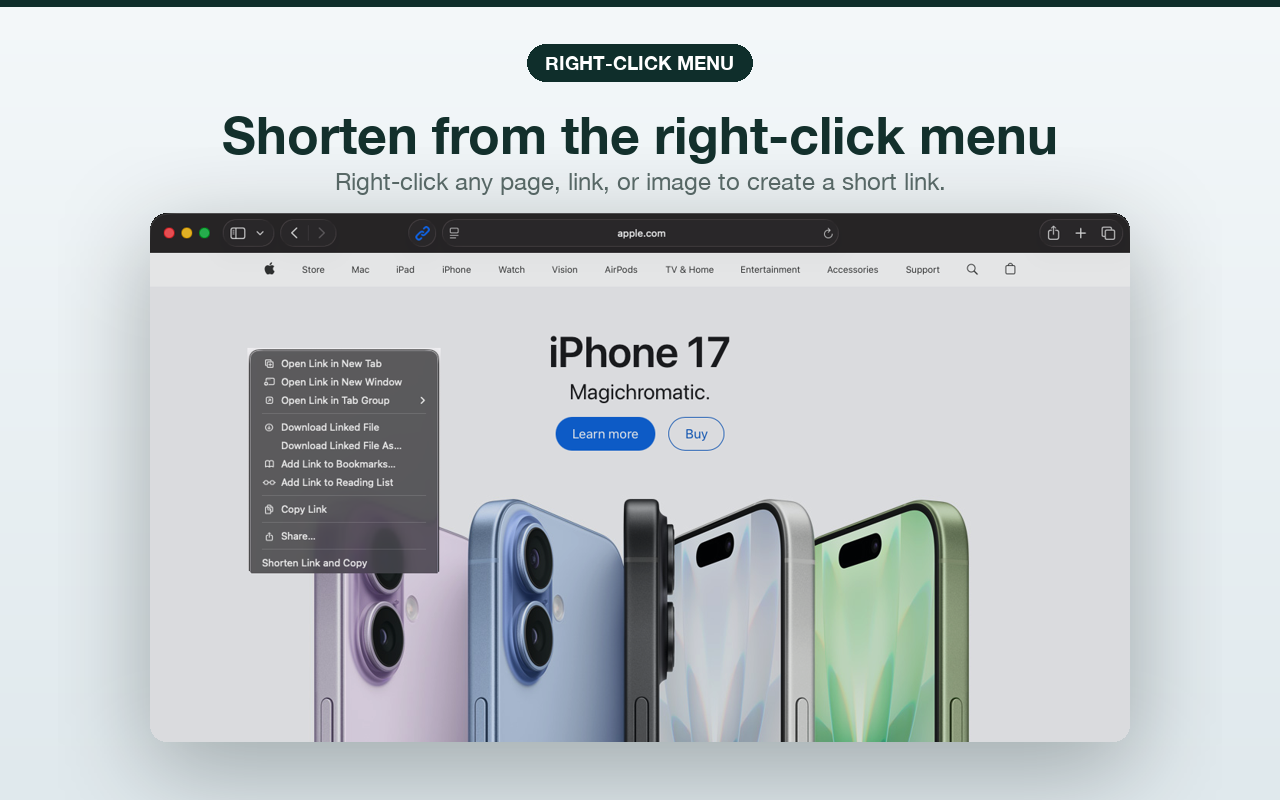
Shorten links from the right-click menu
Right-click any page, link, or image and choose Shorten Link and Copy. That is the fastest path when you do not want to open the extension popup.
Create QR codes from Safari
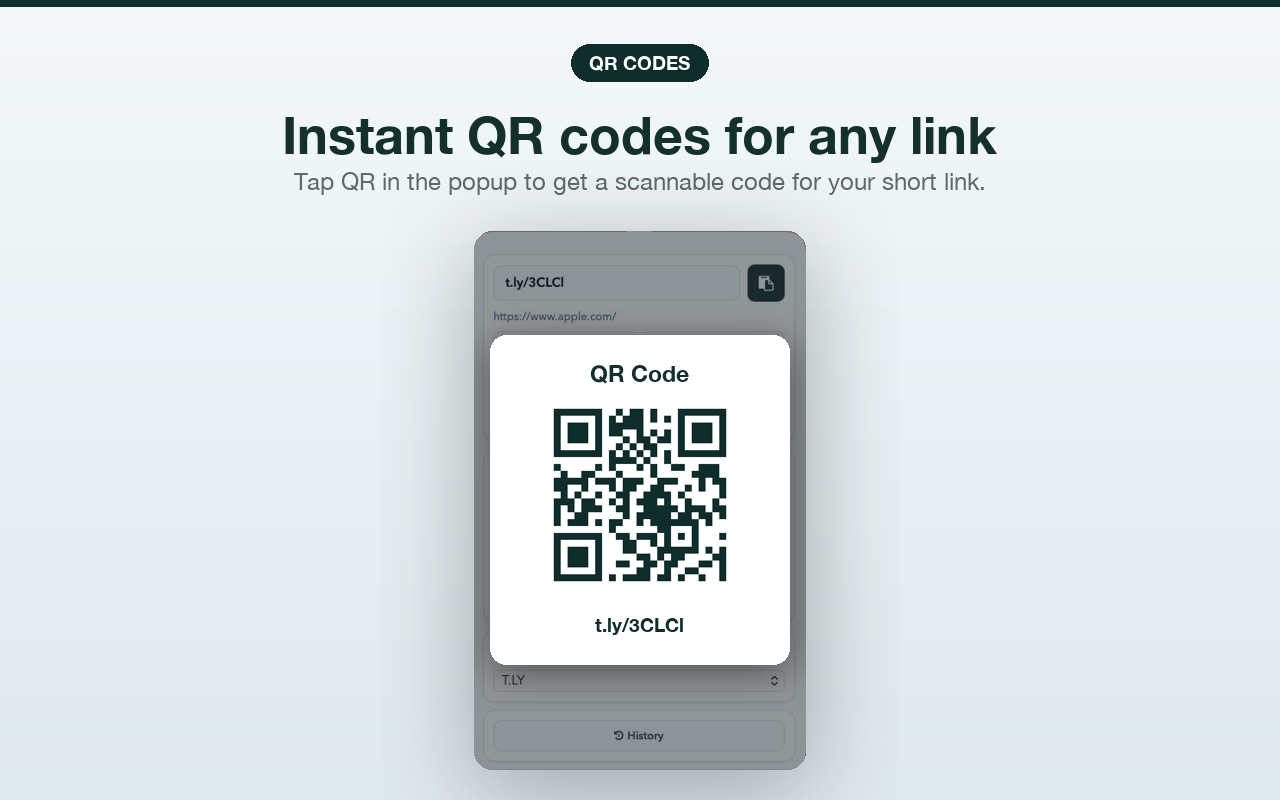
The extension can also create a QR code for the short link. Click QR in the popup and you have a scannable code without leaving Safari.
Install it from the App Store
Download it here: T.LY Link Shortener Extension for Safari.
We still support the other major browser stores too: Chrome, Firefox, Edge, and Opera.
Connect it to your T.LY account
The extension works best when it is connected to your T.LY account. That lets you keep link history, use your custom domains, edit destinations, and track clicks later.
If you need the setup steps, use this guide: How to Add Your T.LY API Key to the Link Shortener Extension.
Safari support has been one of the more obvious missing pieces for people who live in the Apple ecosystem. It is here now. If you also manage links from your phone, use the T.LY app for iPhone and iPad or Android.
Related Posts


Tim Leland
Useful Tools
Ready to improve how you manage links?
T.LY URL Shortener makes long links look cleaner and easier to share! Add your own Custom Domains to personalize your brand. Create Smart Links to customize a URL's destination. Generate QR codes to promote your business.
Start your 5-day trial Browser Extension



