
Bitly Showing Ads
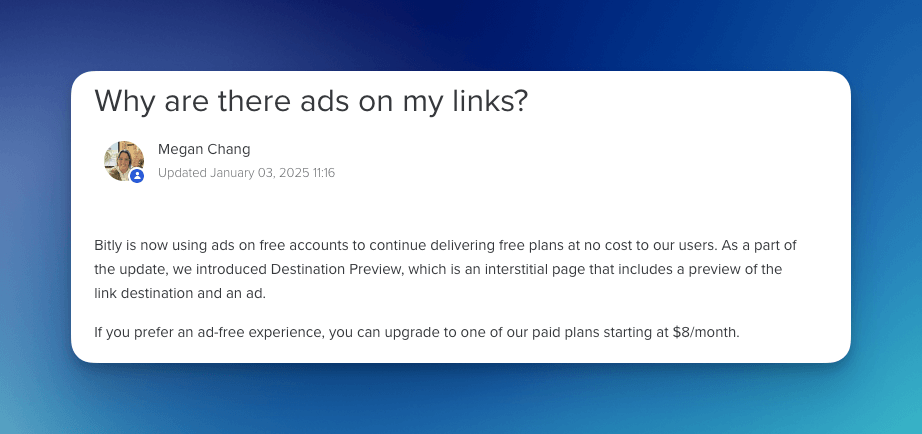
Bitly is now showing ads on all free short links. When someone clicks a free Bitly link, they're first taken to an "interstellar" preview page with ads before being redirected to the final destination. This change affects billions of existing Bitly links and is likely to cause frustration for many users. The preview page also shows a brief summary of the target URL. Users who wish to bypass this ad experience have two options: upgrade to a paid Bitly plan or switch to a different URL shortener that does not force ads.
What Is a Redirect Interstellar Page?
A redirect interstellar page (sometimes called an “interstitial” or “preview” page) is a web page that appears during the redirect process before the user reaches the final destination URL. Here’s what you can expect with Bitly’s new interstellar pages:
- Preview of the Destination
- Advertisements
- User Action Required
Why Is Bitly Making This Change?
Bitly’s move to an ad-supported model for free links is likely motivated by the need for additional revenue streams and the desire to encourage users to adopt paid plans. By placing ads on all free short links, Bitly can generate income while offering basic services without a direct cost to the user. Unfortunately, millions of users created short links without knowing this would happen, and billions of short links will now show ads.
Alternatives to Bitly’s Free Plan T.LY
We do not ever plan to add interstellar pages or ads to redirects. We aim to keep the service free for most users who just need to create short links.
- No Interstellar Ads
- Simple and Fast
- Analytics
- 1-Click Short Links using our Browser Extension
- Link checks from your phone with the T.LY app for iPhone and iPad or Android
Related Posts



Tim Leland
Useful Tools
Ready to improve how you manage links?
T.LY URL Shortener makes long links look cleaner and easier to share! Add your own Custom Domains to personalize your brand. Create Smart Links to customize a URL's destination. Generate QR codes to promote your business.
Start your 5-day trial Browser Extension



