Why Is My IP Location Wrong?
IP location is useful, but it is not exact.
If an IP lookup shows the wrong city, wrong region, or even the wrong country, it does not automatically mean your device is hacked or your internet is broken. Most of the time, the lookup is making an estimate from network data.
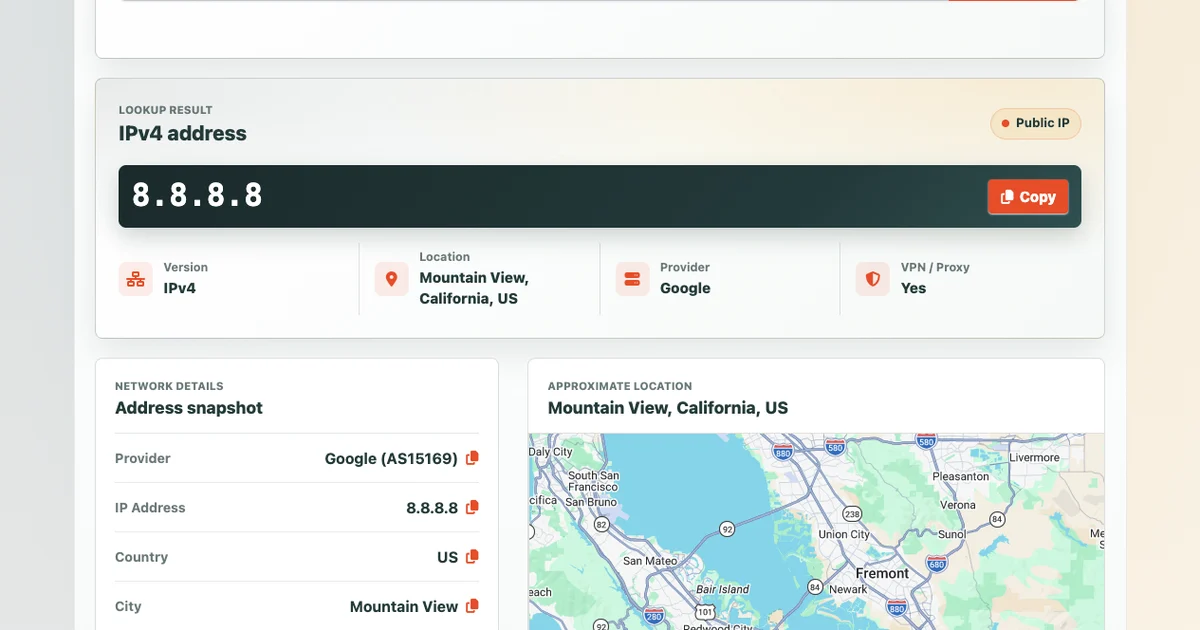
You can check your current public IP location with the T.LY What Is My IP Address tool.
IP location is not GPS
Your phone's GPS can often estimate your physical location very closely.
IP geolocation is different. It tries to infer location from the public IP address, ISP and ASN data, network routing, registry data, and geolocation databases.
That estimate may be close. It may also point to:
- your ISP's nearest network hub
- a nearby city
- a company office
- a mobile carrier gateway
- a VPN server location
- an old database entry
For many use cases, approximate location is enough. For exact physical location, IP data is the wrong tool.
Your ISP may route traffic through another city
Internet providers do not always route traffic from the exact city where you are sitting.
Your connection may exit through a nearby metro area, a regional hub, or a network location used by the provider. IP location databases may map the address to that network point instead of your real address.
That is why someone in a smaller town might see an IP location in the nearest larger city.
Mobile networks can be even less precise
Mobile carriers often route traffic through shared gateways.
If you check your IP location on a phone using cellular data, the location may reflect the carrier's network routing instead of your current location.
It may change as you move, reconnect, switch towers, or move between Wi-Fi and mobile data.
VPNs and proxies change visible location
A VPN or proxy can make websites see the network location of the VPN or proxy server instead of your normal ISP.
That is expected.
If your IP location suddenly shows another state or country, check whether:
- a VPN is enabled
- a browser proxy extension is active
- a privacy browser is routing traffic differently
- a work security tool is tunneling your connection
- your phone is using a private relay or similar privacy feature
To test this, open What Is My IP Address with the VPN off, then turn the VPN on and reload the page. For more steps, see How to Check If a VPN or Proxy Is Working.
Geolocation databases can be outdated
IP addresses move between providers, companies, hosting networks, and regions.
Geolocation databases have to keep up with those changes. Sometimes they lag behind.
One database might show an IP in one city while another shows a different location. That is normal because the data sources and update schedules are different.
Business and school networks may centralize traffic
Companies, schools, and managed networks often route traffic through central firewalls, gateways, or security providers.
You might be physically in one city while your traffic exits through a corporate data center or security service somewhere else.
In that case, the IP location is showing the network exit point, not your seat.
Does a wrong IP location mean someone has my address?
No.
In most cases, it means the lookup is approximate or tied to a network provider's routing.
An IP address can reveal general network information, but it does not normally reveal your name, street address, or exact physical location to a random website. Your ISP may know which customer was using an IP address at a given time, but websites generally do not have that subscriber information.
Can I fix my IP location?
Sometimes, but not always.
You can try:
- disconnecting and reconnecting your network
- restarting your router
- turning off a VPN or proxy
- switching from mobile data to Wi-Fi
- contacting your ISP if the location is very wrong
- asking a geolocation provider to update its database
If the location is only off by a nearby city, it is usually not worth chasing. That is common.
Why IP location still matters
Even though it is approximate, IP location is still useful.
It can help with:
- analytics
- fraud checks
- security alerts
- language or region defaults
- campaign reporting
- suspicious login reviews
- routing and troubleshooting
For example, T.LY analytics can show useful location patterns for short links and QR code campaigns without pretending IP location is exact GPS.
IP location summary
Your IP location may be wrong because IP geolocation is based on network estimates, not precise physical tracking.
Common causes include:
- ISP routing
- mobile network gateways
- VPNs and proxies
- corporate networks
- outdated geolocation data
- shared or reassigned IP ranges
To see what websites can currently infer from your connection, use the T.LY What Is My IP Address tool.
Related Posts




Tim Leland
Useful Tools
Ready to improve how you manage links?
T.LY URL Shortener makes long links look cleaner and easier to share! Add your own Custom Domains to personalize your brand. Create Smart Links to customize a URL's destination. Generate QR codes to promote your business.
Start your 5-day trial Browser Extension



