 Tim Leland

If you’ve ever run a campaign and wished you could test two landing pages without swapping links everywhere, you’ll like this: T.LY now supports A/B rotation URLs.
- One short link
- Multiple destination URLs
- A random (or weighted) split per click
This is designed for marketers, growth teams, and product folks who want a practical way to test variants—without needing a full experimentation platform just to compare two pages.
What are A/B URLs (Rotation URLs)?
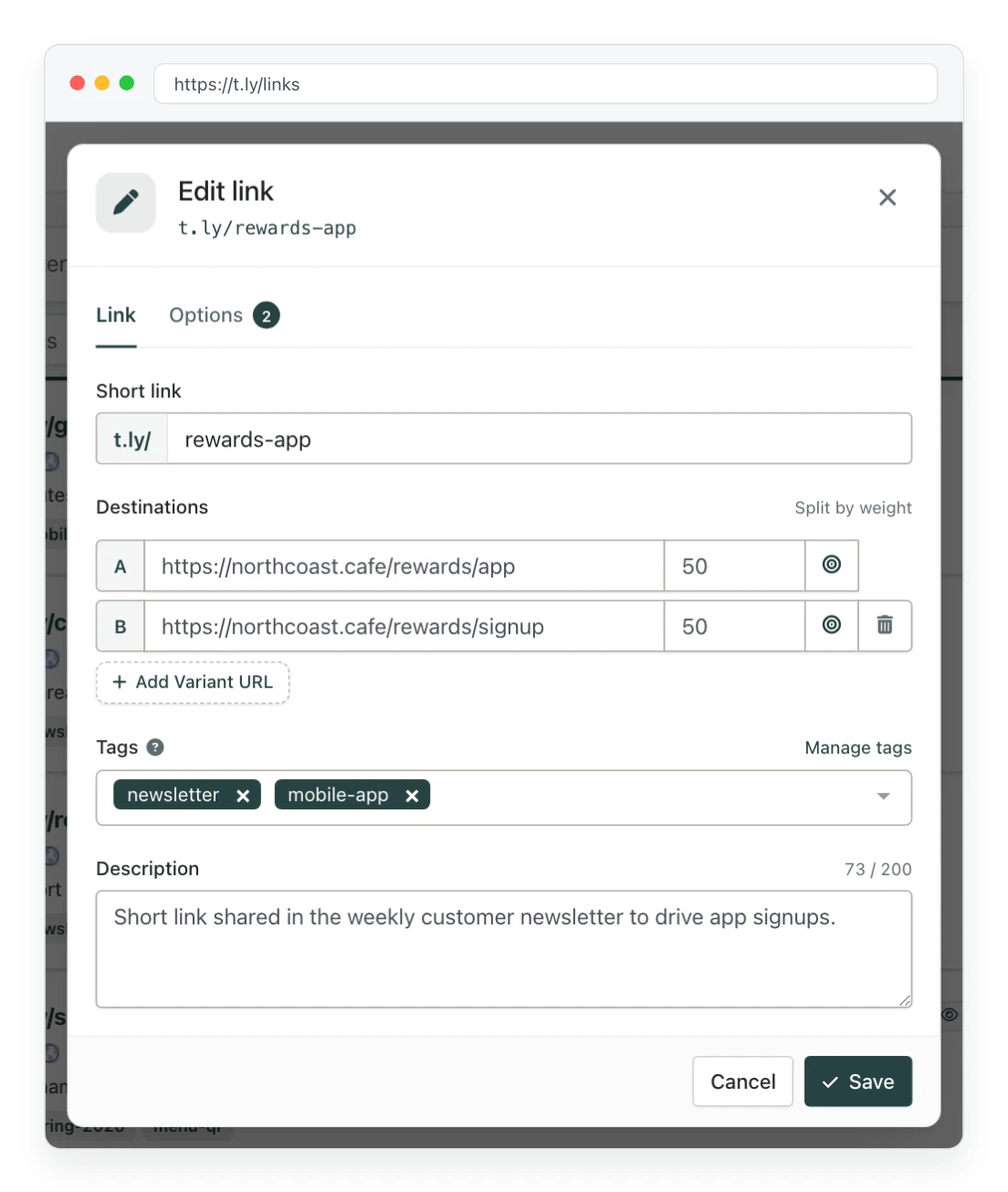
A/B URLs (Rotation URLs) allow a single T.LY short link to redirect to more than one destination URL.
Every time someone clicks the short link, T.LY picks a destination randomly:
- Even split (default) if you don’t set weights
- Weighted split if you do set weights (e.g., 60/40)
This means you can share one short link across:
- Ads
- Social posts
- Email campaigns
- QR codes
- Influencer links
- Partner placements
…and still test multiple landing pages behind that single link.
How Rotation URLs work (step-by-step)
- You create or edit a short link in T.LY.
- You enable A/B rotation (Rotation URLs).
- The primary destination can be included as Variant A.
- You add one or more additional destination URLs (Variant B, C, etc.).
- Optionally, you set weights for each variant.
- On each click, T.LY selects the destination via weighted random sampling.
- Any standard campaign query parameters (such as UTMs) flow through to the destination.
Availability
Available on paid plans