
Introducing Smart URLs
Smart URLs redirect users to different destinations based on their device, location, or browser. After entering a default URL, users are able to specify to which device or browser-specific URLs they want to direct their traffic. This allows you to share one URL to target multiple destinations.
A great use for Smart URLs is to target multiple app install URLs such as iOS or Google Play depending on the device. Here is an example that will redirect users based on their device to the Link Shortener extension install page depending on their browser. Give it a try: https://t.ly/extension. You can also install the T.LY app for iPhone and iPad or Android.
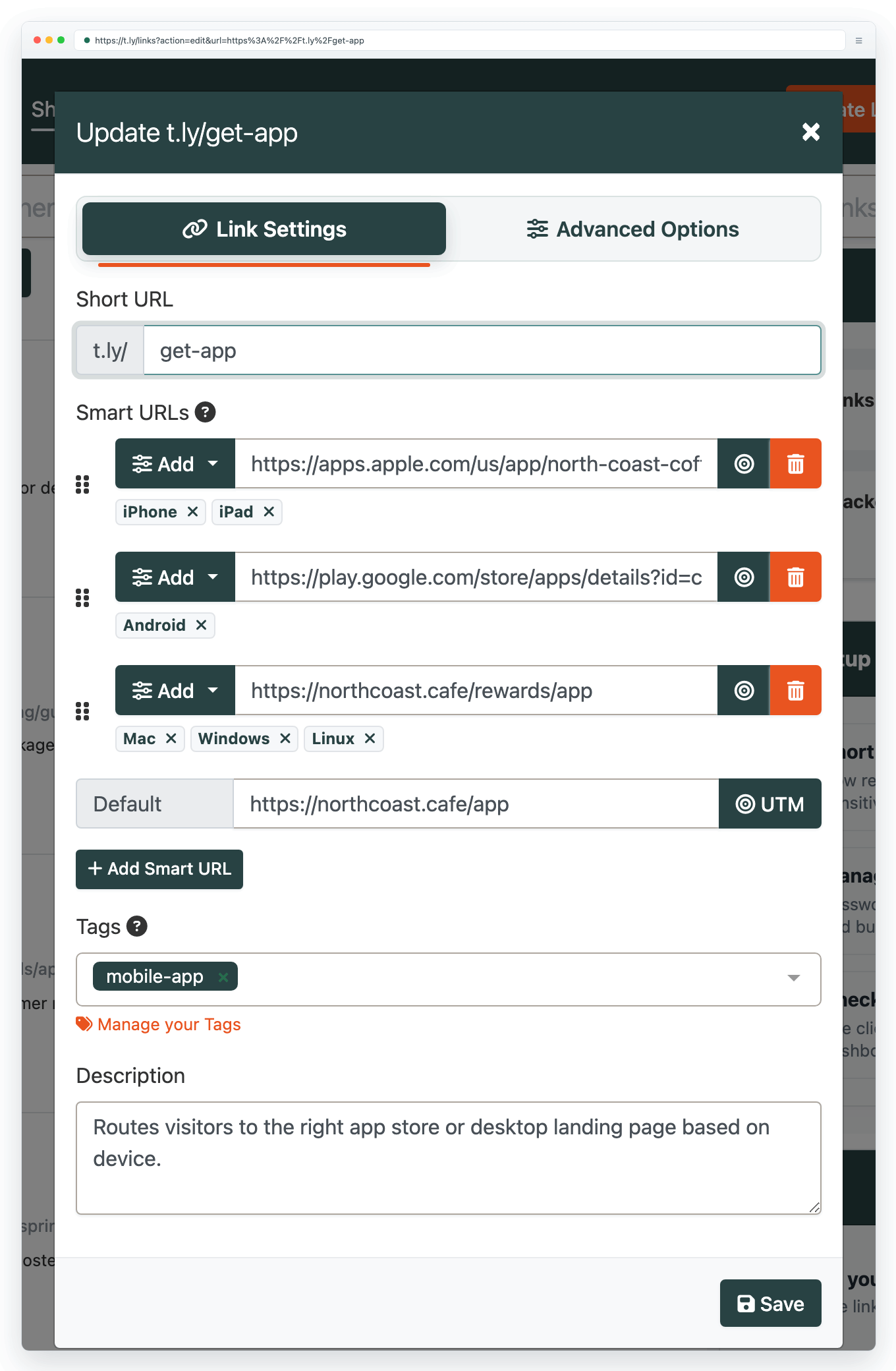
What Smart URLs are good for
Smart URLs are useful any time one shared link needs to behave differently for different visitors. That could mean sending iPhone users to the App Store, Android users to Google Play, or directing visitors to browser-specific destinations.
Try Smart URLs in T.LY
T.LY Smart URLs help you share one link while still controlling where people land. If you have additional routing needs, let us know at [email protected].
Related Posts



Tim Leland
Useful Tools
Ready to improve how you manage links?
T.LY URL Shortener makes long links look cleaner and easier to share! Add your own Custom Domains to personalize your brand. Create Smart Links to customize a URL's destination. Generate QR codes to promote your business.
Start your 5-day trial Browser Extension



