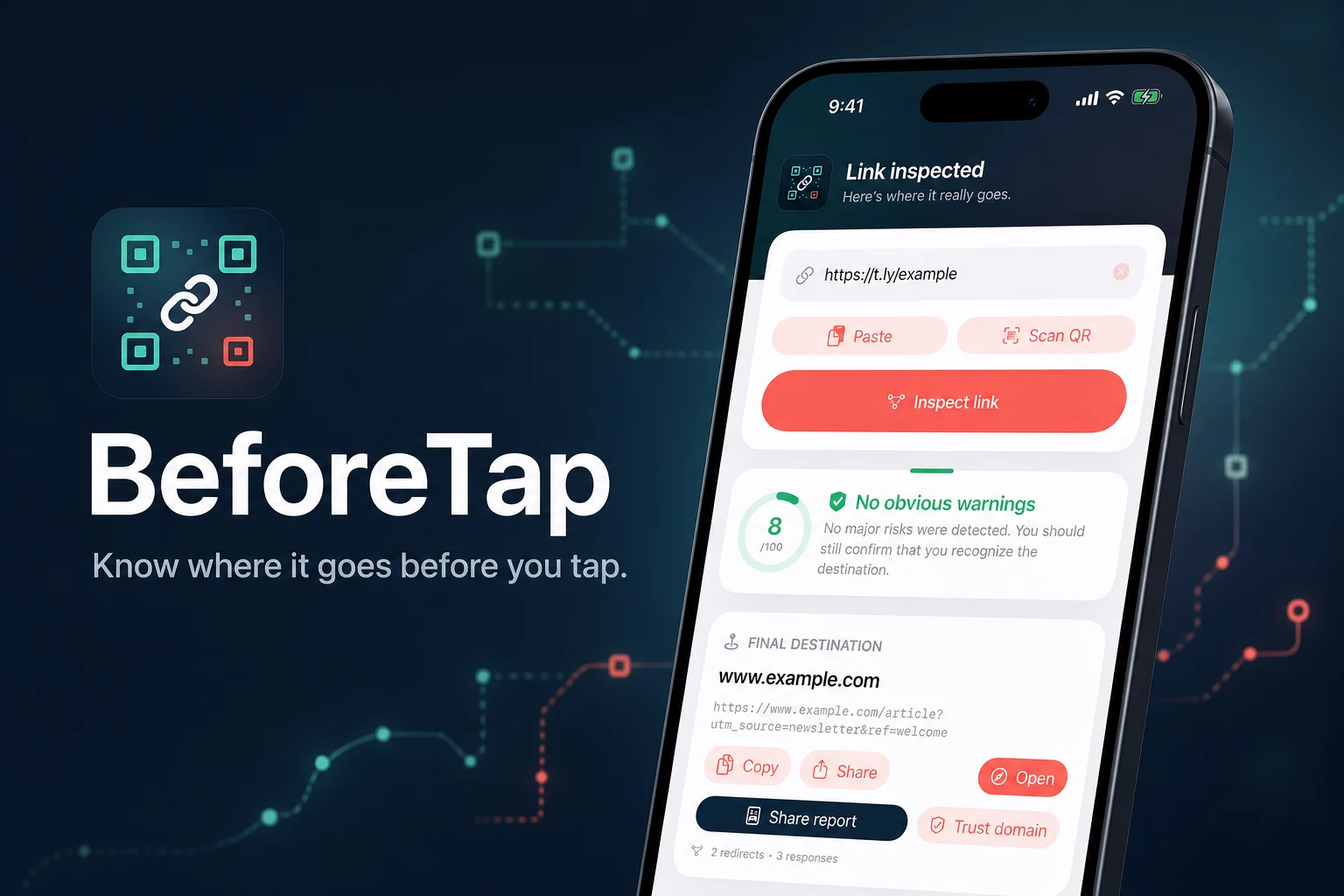
Introducing BeforeTap for iOS
On a phone, every link asks you to tap before you know exactly where it leads.
A short URL can hide its destination. A QR code hides the URL completely. Even a normal-looking link can pass through several redirects before it reaches the page that opens in your browser.
That is why we built BeforeTap, a link inspector for iPhone and iPad. It shows where a link goes, how it gets there, and which warning signs it finds before you decide whether to open it.
BeforeTap works especially well with shortened links from Bitly, TinyURL, T.LY, and other URL shorteners. It is just as useful for any regular link you do not recognize or are not sure about.
BeforeTap is built by the T.LY team and is available now as a free download from the App Store.
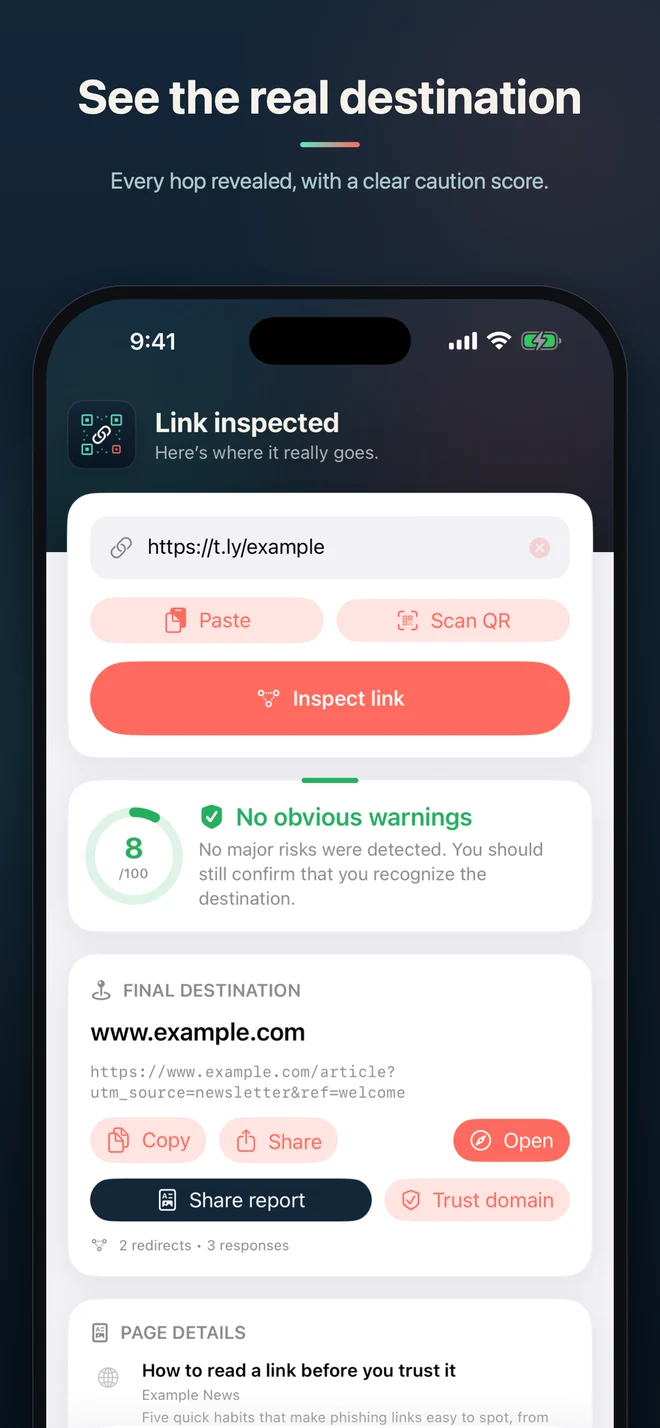
See the real destination
The URL you receive is not always the URL you visit.
Marketing links, short links, email click trackers, and affiliate links often redirect one or more times. That can be completely normal, but the redirects make it harder to know where the link ends.
BeforeTap follows the full path and shows:
- Every URL in the redirect chain
- The HTTP status code for each step
- Domain changes along the way
- The final destination
- Warning signals found during the inspection
You get the whole path instead of a vague good-or-bad label.
Review the warning signs
BeforeTap checks for details that deserve a closer look, including plain HTTP, unusual ports, IP-address hosts, punycode, lookalike domains, long redirect chains, and suspicious account-related wording.
The result includes a risk score and the checks behind it. The details matter more than the number. A warning can have an innocent explanation, and a normal-looking result does not prove that a page is trustworthy.
BeforeTap does not certify that a link is safe. It gives you better context before you make the call.
Inspect QR codes without opening them first
QR codes are useful, but you cannot read one by looking at it. The destination stays hidden until something scans the code.
With BeforeTap, you can scan a QR code with the camera or choose one from a saved photo or screenshot. The app decodes the URL and inspects the destination before handing it to your browser.
That is handy for codes in unexpected texts, emails, packages, flyers, parking signs, or anywhere else the source is not immediately clear.
If you are at a computer, the free T.LY QR Code Inspector offers a similar workflow on the web.
Send links straight from the Share sheet
Checking a link should not require a copy-and-paste routine every time.
BeforeTap works from the iOS Share sheet, so you can send a link to it from Messages, Mail, Safari, or another app. Review the redirect path and destination, then decide what to do next.
You can also paste a URL directly when that is faster.
Remove common tracking parameters
Links often pick up campaign and click identifiers such as utm_source, utm_campaign, and fbclid. BeforeTap can remove common tracking parameters from the final URL so you can copy or share a cleaner version.
This does not make the destination anonymous, and some sites need certain query parameters to load the correct page. BeforeTap shows the cleaned URL separately so you can review it before using it.
Private by default
BeforeTap does not require an account. There are no ads and no analytics in the app.
Your inspection history is searchable and stays on your device. T.LY does not use the URLs you inspect for BeforeTap advertising, analytics, or user profiling.
To build a report, the URL is normally sent to T.LY's link-tools services, which contact the submitted URL and its redirect destinations. If that service is unavailable, BeforeTap can fall back to resolving the path from your device.
A useful pause before opening a link
BeforeTap is not meant to make every link feel dangerous. Most links are routine. The app is there for the moments when the destination is hidden, the message feels off, or you simply want to know what will open before it opens.
Paste the link, scan the code, or share it from another app. BeforeTap traces the path and gives you the details. You make the final decision.
Download BeforeTap from the App Store and check the next link before you tap it. If you are at a computer, you can use the same inspection engine with T.LY's free Link Expander.
Related Posts




Tim Leland
Useful Tools
Ready to improve how you manage links?
T.LY URL Shortener makes long links look cleaner and easier to share! Add your own Custom Domains to personalize your brand. Create Smart Links to customize a URL's destination. Generate QR codes to promote your business.
Start your 5-day trial Browser Extension



