• Products
    Link Management OneLinks Link Tracker QR Code Management QR Scanner App URL Shortener Extension Permanent Links Short URL Expander
  • Resources
    Pricing Blog API Documentation Help Center Affiliate Program Tools
  • Articles
    Guide to URL Shorteners T.LY vs Bitly Top 5 URL Shorteners T.LY vs TinyURL Best URL Shortener API T.LY vs Rebrandly
  • Login
  • Sign Up
  • Sign Up
  1. OneLinks
  2. OneLinks for Restaurants
Restaurant use case

OneLinks for Restaurants

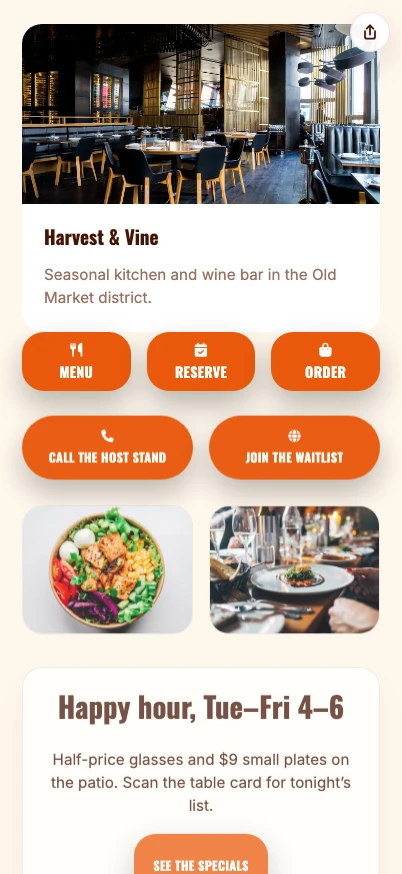
Give diners one mobile page for the actions they actually need: open the menu, reserve a table, order pickup, join the list, leave a review, or book catering. T.LY OneLinks help restaurants keep printed QR codes useful after menus, hours, and offers change.
Build A Restaurant OneLink See OneLinks
Menu QR codes Reservations + waitlist Delivery + pickup links Reviews + feedback Catering + events Click analytics
T.LY restaurant OneLink example screenshot.

What This OneLink Setup Solves

See how T.LY turns one short branded URL into a more useful landing page for the job at hand.

Diners want different next steps

Some people need the menu. Others want reservations, delivery, gift cards, catering, directions, or reviews. OneLink keeps those choices together.

Menus and offers change after QR codes are printed

Keep the same table tent, window sign, receipt, or flyer QR code live while updating menu links, seasonal offers, and ordering paths.

Restaurant traffic comes from online and in-store

Use one branded destination in Instagram bios, Google profile links, SMS promos, table tents, receipts, takeout bags, and catering cards.
Build it in T.LY

From idea to live OneLink

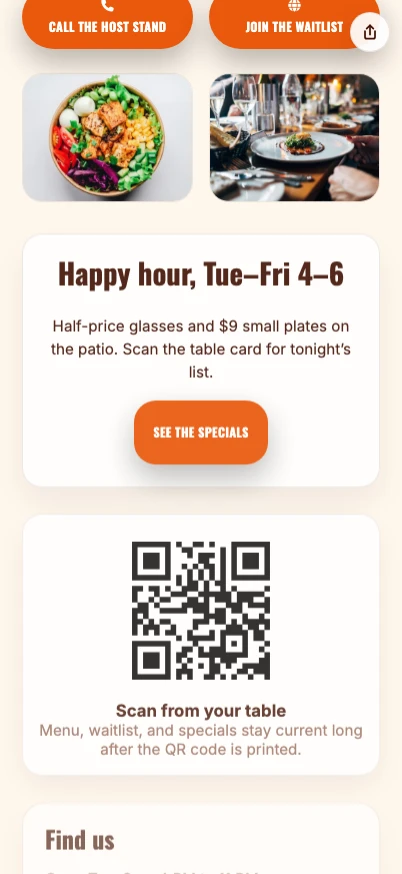
  1. Start with a local business or review hub template, then add menu, reservation, delivery, catering, gift card, and review links.
  2. Publish the page on a short branded URL and create QR placements for tables, windows, receipts, takeout bags, flyers, and event menus.
  3. Refresh menu links, hours, offers, and featured ordering paths without changing the QR code customers already scan.
  4. Use analytics to compare scans and clicks across menu, reservation, delivery, review, and catering actions.
T.LY restaurant OneLink example screenshot showing menu, reservation, ordering, and review actions.
Example placements

Restaurant Examples: Menus, Receipts, and Takeout Bags

  • Put the same OneLink behind table tents, counter cards, receipts, delivery inserts, patio signs, event menus, and catering flyers.
  • Use separate short links or QR placements when you want to compare dine-in menu scans, receipt review requests, and takeout ordering traffic.
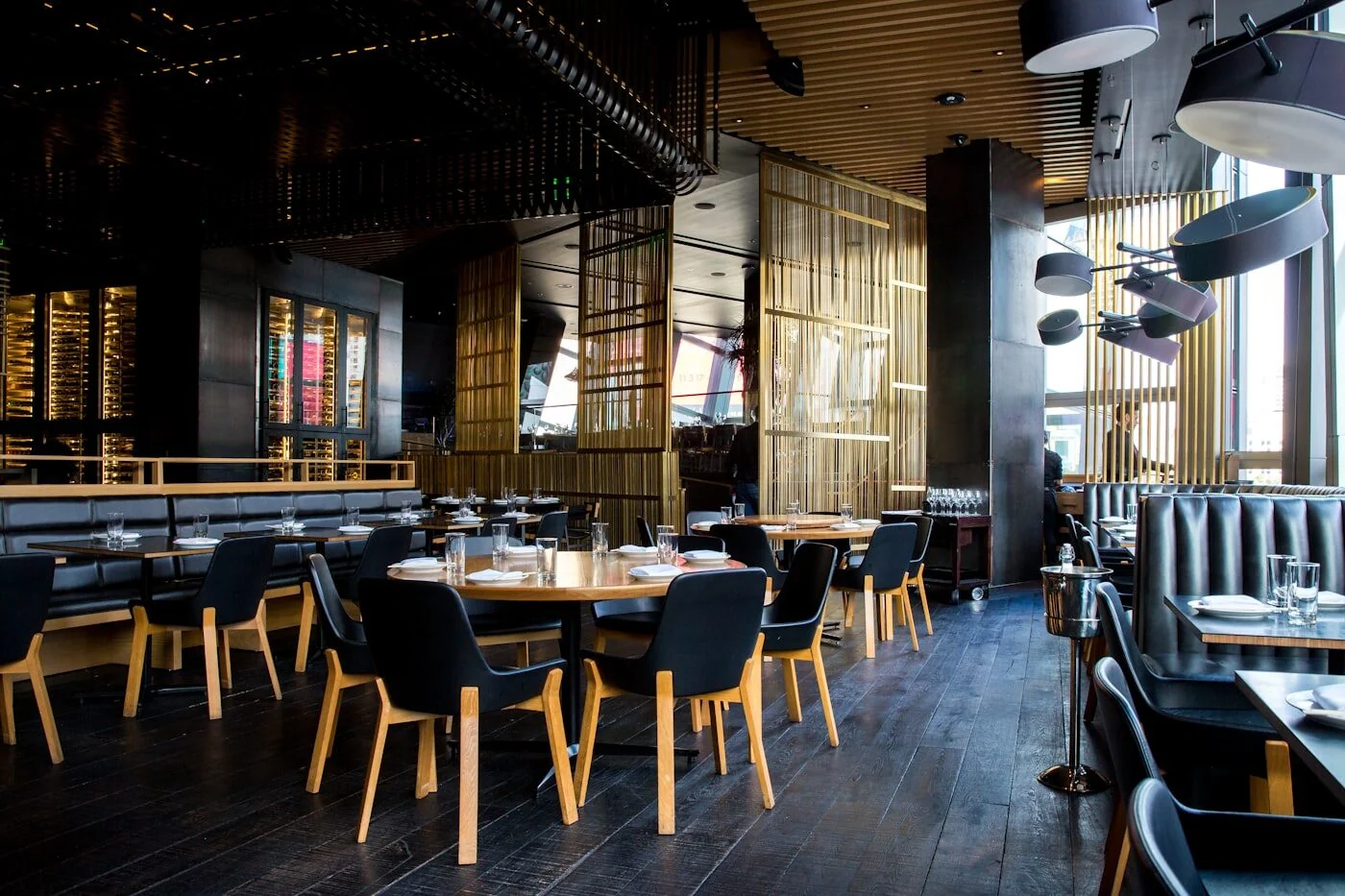
Restaurant dining room where a T.LY OneLink can connect diners to menus, ordering, and reviews.

Why T.LY Works Better

These are the platform choices that matter after the page is live and being shared across channels.

  • Keep menu, reservation, delivery, catering, and review paths in one QR-ready hub.
  • Update seasonal menus and offers without reprinting table tents, receipts, or takeout inserts.
  • Use branded short links for social bios, Google profile links, SMS promos, and in-store signage.
  • Track which dining actions get clicks so the page reflects what guests actually use.

Recommended T.LY Products

  • QR Code Generator
  • Review QR Code Generator
  • Coupon QR Code Generator
  • Link Tracker

Helpful Reading

  • OneLinks basics
  • Share OneLinks with QR codes
  • OneLinks analytics

FAQ

What should a restaurant OneLink include?

Start with the menu, reservations, ordering, directions, hours, reviews, and catering or private event links.

Can restaurants update QR menu links later?

Yes. The QR code can keep pointing to the same OneLink while the live page changes.

Can I track which restaurant buttons guests click?

Yes. T.LY OneLinks include analytics for page visits and button engagement.

Where should restaurants share a OneLink?

Use it in social bios, Google profile links, table tents, receipts, takeout bags, window signs, SMS promos, and catering flyers.

Explore More Use Cases

Keep going with adjacent OneLink setups that solve a similar distribution problem in a different channel.

View all use cases
T.LY local business OneLink use case preview.

OneLinks for Local Businesses

Create a local business landing page with T.LY OneLinks for hours, maps, booking, menus, offers, reviews, and QR sharing.

Local Businesses Use Case
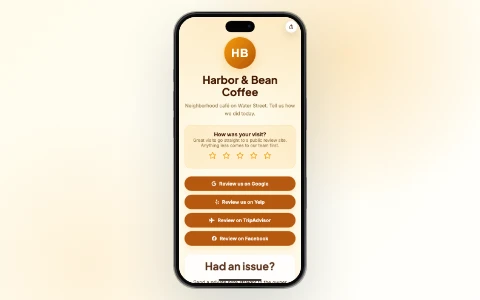
Review Link Hub use case preview.

Review Link Hub

Build a local business review link hub with T.LY OneLinks for Google reviews, Yelp, TripAdvisor, Facebook, Trustpilot, and private feedback routing.

Review Link Hub Use Case
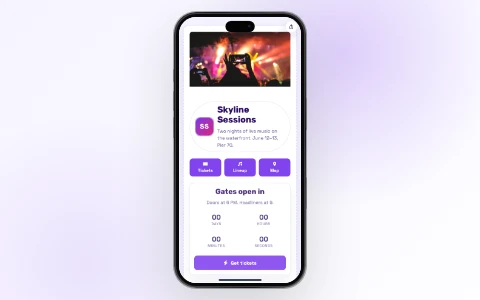
T.LY event OneLink use case preview.

OneLinks for Events

Use T.LY OneLinks for events with ticket links, countdowns, schedules, maps, FAQs, QR sharing, and mobile-friendly updates.

Events Use Case

Ready to build this in T.LY?

Launch a OneLink that stays flexible after you publish it, then keep sharing the same branded URL everywhere.
Build A Restaurant OneLink

Features

  • Browser Extension
  • QR Code Extension
  • Mobile App
  • URL Expander
  • Bulk URL Shortener
  • Short Domain Finder
  • QR Code Generator
  • Free URL Shortener
  • Link In Bio

Resources

  • Pricing
  • Help Center
  • API Docs
  • Blog
  • Press Kit
  • Tools
  • Report Abuse

Company

  • About
  • Affiliates
  • Careers
  • Contact
  • Privacy
  • Terms
  • Trust & Safety
© 2026 T.LY | Trusted Link Management Platform.
Browser Extension

Shorten your next link without opening T.LY

Install the free extension and turn any page into a short link in one click — it copies straight to your clipboard.

  • One-click short links from any page
  • Auto-copies to your clipboard
  • Free forever — no account needed
Add Free Extension
Loved by 450,000+ people
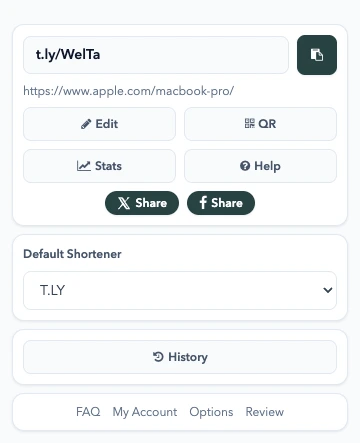
T.LY Link Shortener Extension preview

Works with your browser

  • Chrome Link Shortener Extension
  • Firefox Link Shortener Extension
  • Opera Link Shortener Extension
  • Edge Link Shortener Extension
  • Safari Link Shortener Extension
Loading…