T.LY
T.LY
  • Link Management OneLinks Link Tracker QR Code Management URL Shortener Extension Permanent Links Short URL Expander
  • Pricing Blog Changelog API Documentation Integrations Help Center Affiliate Program Tools
  • How URL Shorteners Work T.LY vs Bitly Best URL Shorteners T.LY vs TinyURL Best URL Shortener API T.LY vs Rebrandly
  • Log in
  • Sign up free

Search T.LY

Find a link in your workspace

Pages, help, free tools, and the blog↑ ↓ to move Enter to open

  1. OneLinks
  2. OneLinks for Real Estate
Real estate use case

OneLinks for Real Estate

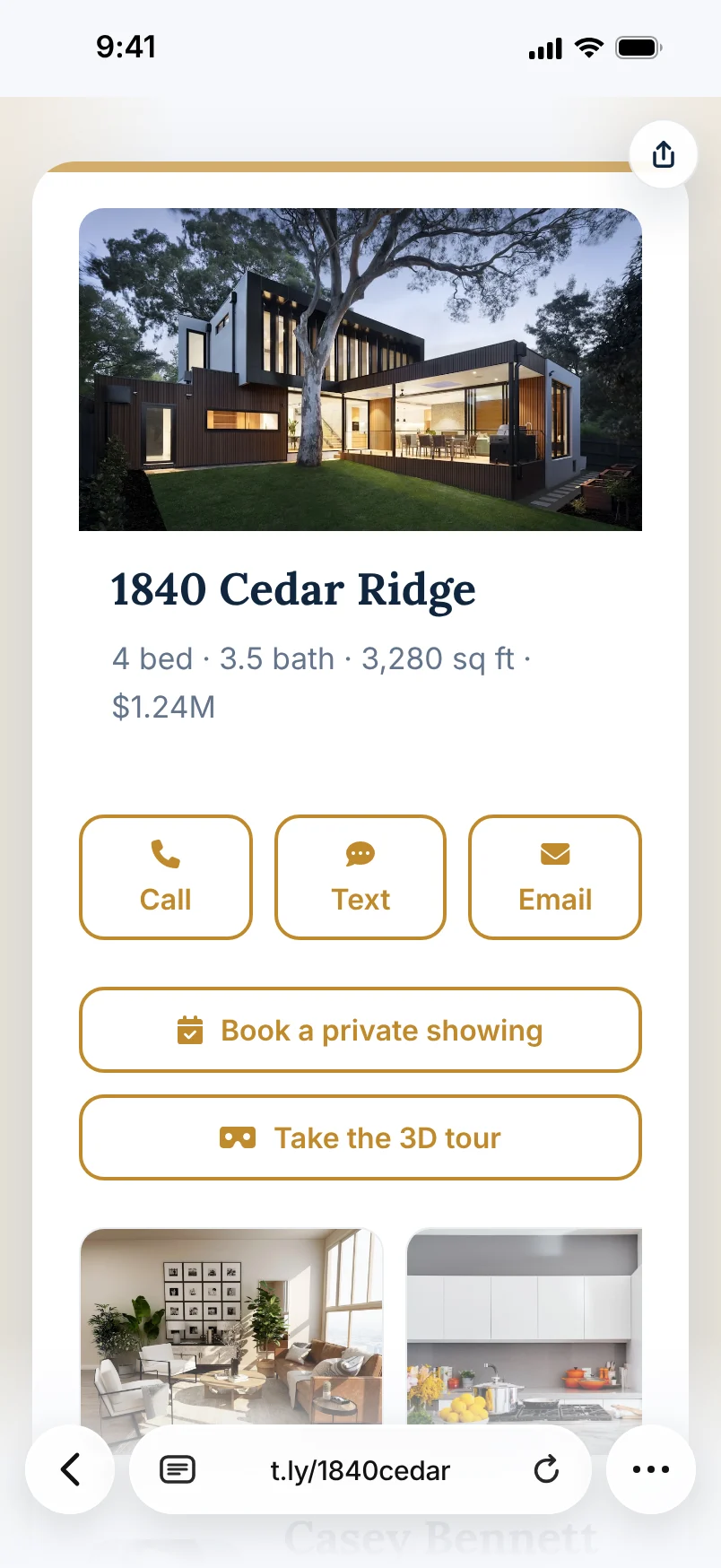
Give buyers one mobile-friendly property hub for the next steps that actually matter: view the listing, open the virtual tour, scan a yard sign QR code, sign in at an open house, save the agent, get directions, browse photos, or book a showing. T.LY OneLinks help agents and brokerages turn one short URL into a better real estate marketing page.
Build A Real Estate OneLink See Product Overview
Listing flyer QR codes Yard sign QR codes Open house sign-in QR Property hub pages Map + contact actions Analytics

What This OneLink Setup Solves

See how T.LY turns one short branded URL into a more useful landing page for the job at hand.

Listings need more than one next step

A buyer may need photos, a virtual tour, financing info, agent contact, open house details, directions, or a sign-in form. OneLink keeps those actions together.

Real estate flyers and signs need a cleaner scan

Use one branded page behind listing flyers, property flyers, yard sign QR codes, brochure boxes, postcards, and open house QR codes instead of sending buyers to a cluttered homepage.

Property priorities change after the first share

Reorder the page as a listing moves from launch to open house to price change to backup property, without replacing the main URL people already have.
Build it in T.LY

From idea to live OneLink

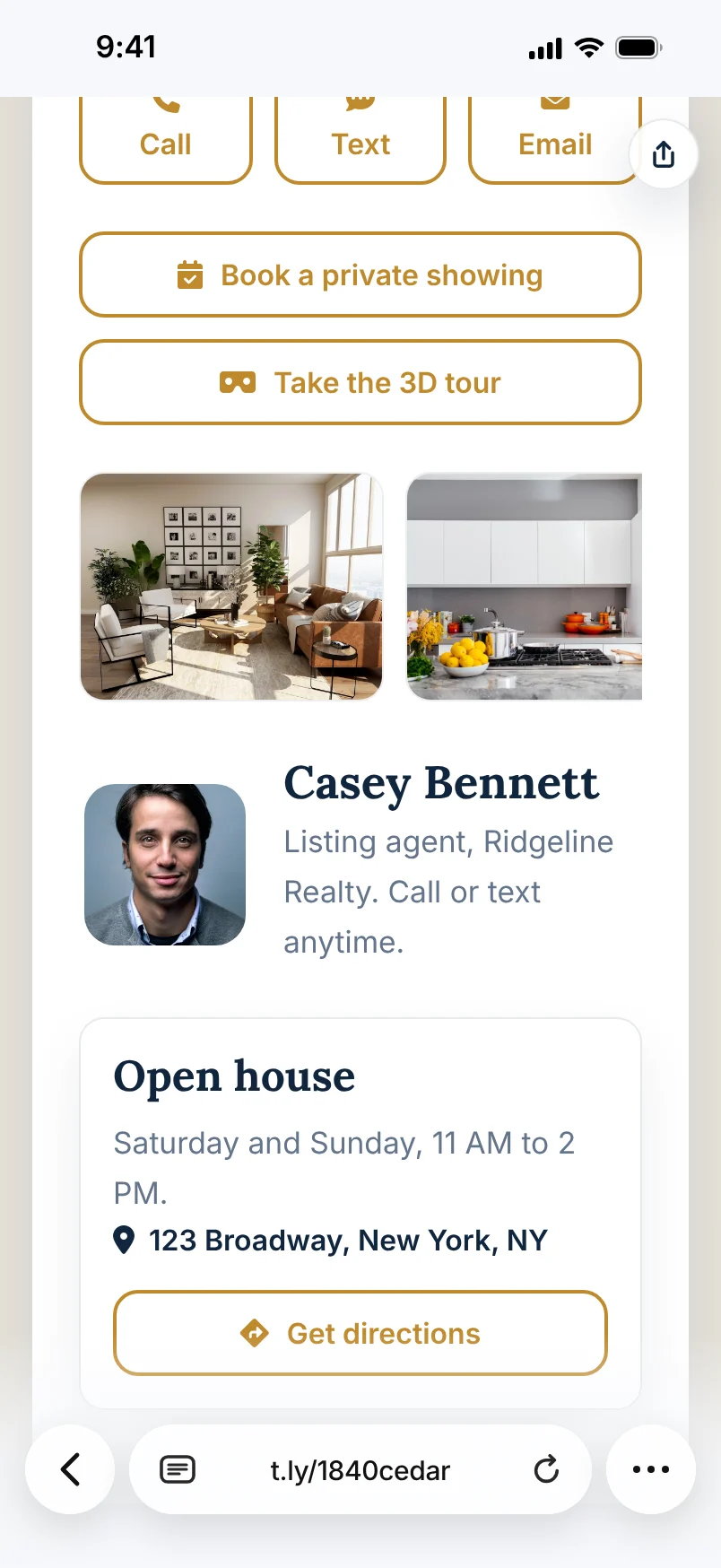
  1. Start with a real estate OneLink template, then add the listing CTA, virtual tour, photo gallery, map, downloadable brochure, open house sign-in form, and agent contact actions.
  2. Publish the page on a short branded URL and pair it with QR codes for real estate flyers, yard signs, listing packets, postcards, brochure boxes, and open house materials.
  3. Use the Real Estate Flyer Builder to create printable flyer blocks and separate QR placements for flyer scans, yard sign scans, and open house sign-ins.
  4. Update the page as the listing changes so the same destination can support showings, price changes, follow-up, backup listings, or broader agent contact paths.
Example placements

Real Estate Examples: Listing Flyers, Yard Signs, And Open Houses

  • Use one page as the property hub across Instagram posts, MLS-safe listing flyers, yard sign riders, postcards, brochure boxes, and open house sign-in materials.
  • Keep listing photos, virtual tours, directions, saved contact details, showing requests, and sign-in forms together so buyers are not sent through several disconnected pages.
  • Create separate T.LY QR placements for property flyer QR codes, yard sign QR codes, and open house sign-in QR codes so each channel has cleaner analytics.
Property exterior where a T.LY OneLink can support listing flyers, yard signs, and open-house scans.

Why T.LY Works Better

These are the platform choices that matter after the page is live and being shared across channels.

  • Bring tours, photos, contact actions, maps, and brochures into one mobile-friendly page.
  • Use QR codes to connect real estate flyers, yard signs, listing packets, and open house signs to a live property hub that can still be updated later.
  • Switch the top CTA as the listing changes without changing the link people already scanned or saved.
  • Measure visits, QR scans, and clicks to see which listing actions buyers use first.
  • Build a printable listing flyer block with the Real Estate Flyer Builder, then point the QR code at your OneLink.

Recommended T.LY Products

  • Real Estate Flyer Builder
  • Location QR Code Generator
  • Business Card QR Code Generator
  • QR Code Management

Helpful Reading

  • OneLinks basics
  • Share OneLinks with QR codes
  • OneLinks analytics

FAQ

What should a real estate OneLink include?

Most real estate pages should put the main property CTA first, then include supporting actions like a virtual tour, gallery, map, brochure, open house sign-in form, and agent contact.

Can I use a OneLink behind a yard sign QR code?

Yes. OneLinks work well as the destination behind yard signs, listing flyers, postcards, brochure boxes, and open house materials because the page can be updated later.

Can T.LY help me make a real estate flyer with a QR code?

Yes. Use the Real Estate Flyer Builder to create a printable property flyer block with a short link, flyer QR, yard sign QR, open house sign-in QR, and agent contact details.

Should the same page be used for listing links and agent contact?

Often yes. A OneLink can keep listing and contact actions together while still helping buyers understand the next best step.

Can a real estate OneLink stay useful after a listing changes?

Yes. You can refresh the live page for price changes, open-house details, backup listings, or follow-up actions without changing the core URL.

Explore More Use Cases

Keep going with adjacent OneLink setups that solve a similar distribution problem in a different channel.

View all use cases
Marisa Cole's digital business card OneLink, shown on two iPhones.

Digital Business Cards With OneLinks

Use T.LY OneLinks as digital business cards with QR sharing, contact actions, booking links, social profiles, and branded short URLs.

Business Cards Use Case
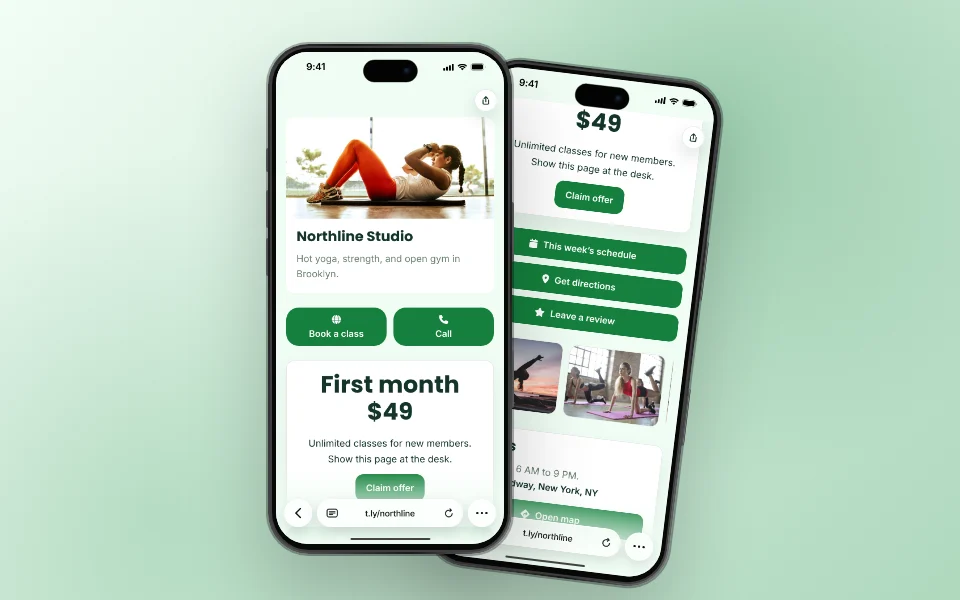
Northline Studio's local business OneLink, shown on two iPhones.

OneLinks for Local Businesses

Create a local business landing page with T.LY OneLinks for hours, maps, booking, menus, offers, reviews, and QR sharing.

Local Businesses Use Case
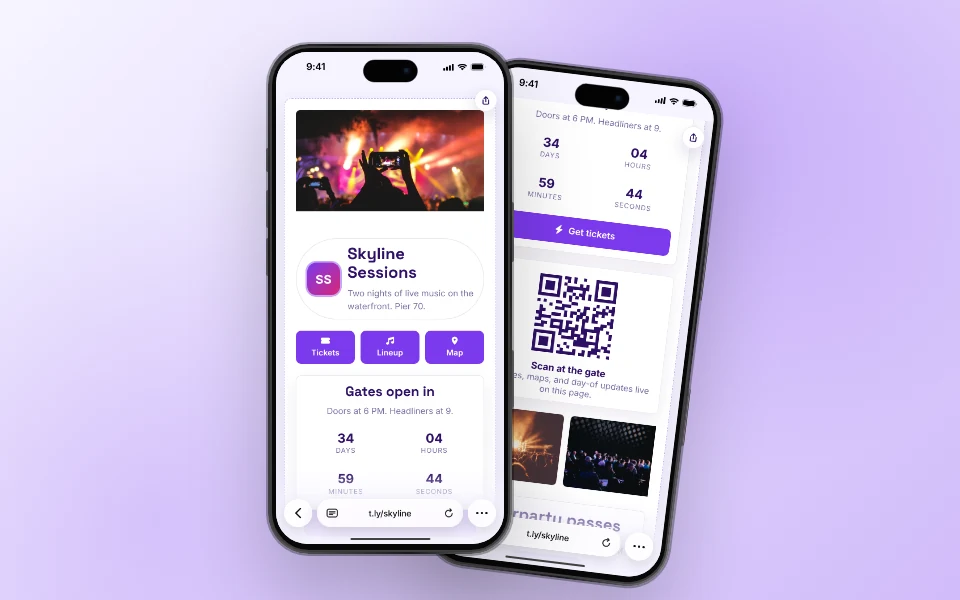
Skyline Sessions event OneLink, shown on two iPhones.

OneLinks for Events

Use T.LY OneLinks for events with ticket links, countdowns, schedules, maps, FAQs, QR sharing, and mobile-friendly updates.

Events Use Case

Ready to build this in T.LY?

Launch a OneLink that stays flexible after you publish it, then keep sharing the same branded URL everywhere.


Build A Real Estate OneLink

Footer

T.LY

Short links, QR codes and link-in-bio pages, with the analytics to see what's working.

Sign up free Log in

1M+ users · 60M+ links and QR codes created

Product

  • Link management
  • Click analytics
  • QR codes
  • Link in bio
  • Permanent links
  • Integrations
  • Pricing

Free tools

  • Create a short link
  • QR code generator
  • URL expander
  • Bulk URL shortener
  • Short domain finder
  • All free tools

Resources

  • Help center
  • API docs
  • Blog
  • Changelog
  • Press kit

Compare

  • T.LY vs Bitly
  • T.LY vs Rebrandly
  • T.LY vs TinyURL
  • Best URL shorteners

Company

  • About
  • Careers
  • Affiliates
  • Contact
  • Trust & Safety

Get T.LY where you work

  • Chrome extension
  • Firefox add-on
  • Safari extension
  • QR code extension
  • Mobile app
  • Google Sheets add-on
© 2026 T.LY Privacy Terms Report abuse

Shorten your next link without opening T.LY

Add the free T.LY extension and turn any page into a short link in one click. It's copied to your clipboard, ready to paste.

  • One-click short links from any page
  • Copies straight to your clipboard
  • Free, no account needed
Add to Chrome ★★★★★ Loved by 450,000+ people
T.LY extension with a short link and controls to copy, edit, and create a QR code

Available for

Loading…