Know where it goes.
BeforeTap is a link inspector for iPhone and iPad. Check a link's final destination, redirect path, and risk flags before you open it.
Inspect a link in three steps
Add the link
Paste a URL, scan a QR code, or share a link from any app.
Trace the redirects
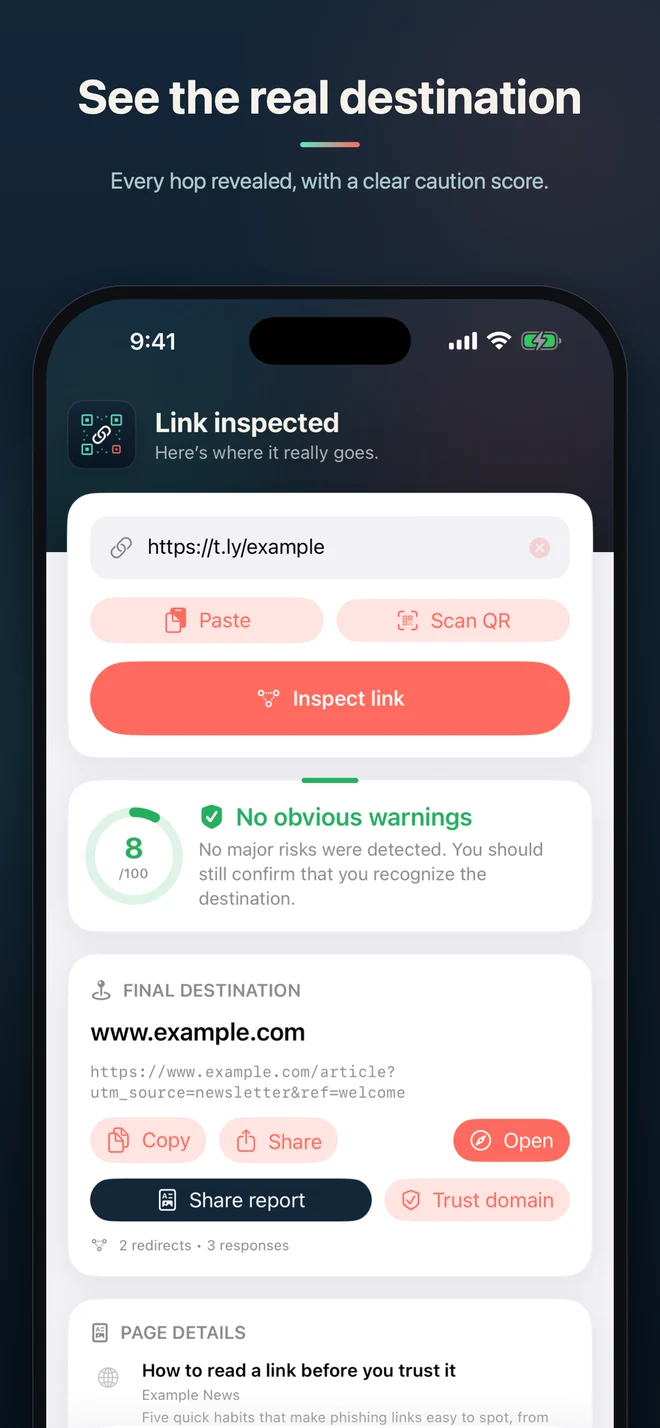
BeforeTap follows every redirect and shows each status code and domain change.
Review the result
See the final destination, detected risks, and a version of the URL with common tracking parameters removed.
See every redirect
BeforeTap maps the full redirect path and flags these risk signals:
- Plain HTTP, unusual ports, and IP-address hosts
- Punycode and lookalike domains
- Long redirect chains and suspicious account wording
utm_source, utm_campaign, fbclidInspect QR codes from anywhere
See the redirect path
Follow every redirect to the final URL, including each status code and domain change.
Review risk flags
See which checks were triggered and the details behind each result.
Remove tracking parameters
Remove common campaign and click identifiers from the final URL, then copy or share it.
Scan QR codes
Point the camera at a code — or pick one from a screenshot — and inspect where it leads before opening it.
Works from the Share sheet
Send a link to BeforeTap from Messages, Mail, or any app — no copy-paste round trip required.
Private, searchable history
Every inspection is saved on your device — and only your device — so you can look back anytime.
No account. No analytics. No ads.
Your inspection history stays on your device. The URL you ask to inspect is sent to T.LY's link-tools services only to build the requested report — never for ads or to build a profile about you.
Context, not a safety guarantee
BeforeTap does not certify that a link is safe. A normal-looking domain can still host harmful content, and a warning can have an innocent explanation. Review the result before deciding whether to continue.
Check the next link before you tap it
BeforeTap is available now for iPhone and iPad. Download it free from the App Store, or use the same inspection engine on the web.
 Browser Extension



